

Dynamics 365 Business Central Integration
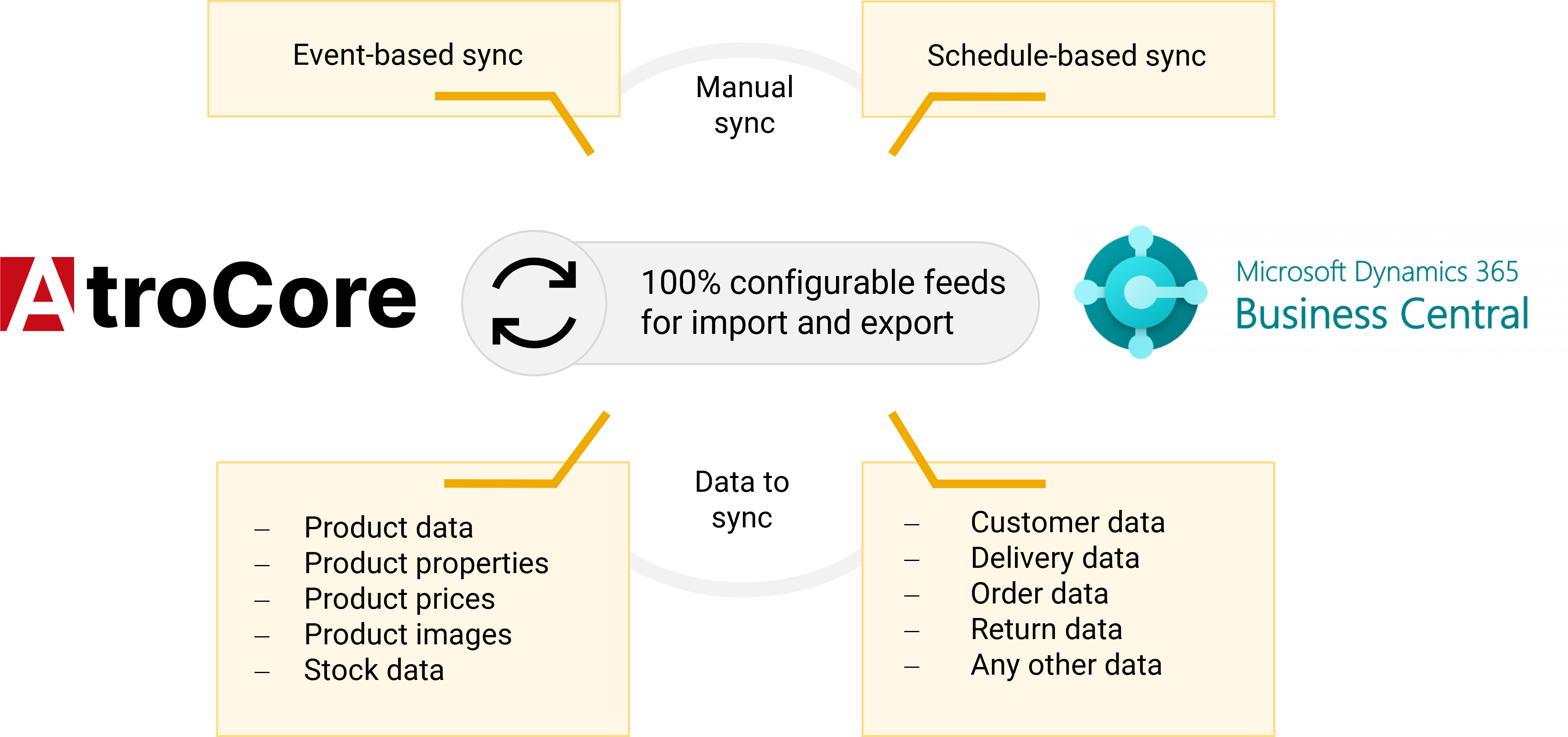
Set up the link between AtroCore/AtroPIM and Dynamics 365 Business Central once, and from that point forward both platforms stay in continuous alignment with no repeated manual intervention. All data flows through the Microsoft API for Business Central, which means nothing needs to be installed within Business Central itself — no add-on, no intermediary layer, no purpose-built connector. Synchronization may run in a single direction or in both, following a fixed schedule or responding to particular events, and every configured data feed remains completely transparent and simple to reconfigure as your operational needs evolve. Rather than forcing changes to your established workflows, the integration adapts to the data models and processes you already rely on.
Which data?
Whatever data Business Central exposes via its API can be brought in, and whatever data resides in AtroCore/AtroPIM can be sent back out.
- Products, variants, pricing, inventory levels, attributes together with their values, categories
- Images, documents, and further digital assets
- Customer and order records, including updates to order status
- Sales, inventory, and accounting entries
- Any custom entities, including classifications, product series, product groups, contracts, licenses, and similar

How It Works
- Setting up the integration comes down to specifying one or more data feeds.
- On every run, a feed carries its data across on the timetable you determine.
- Because everything travels over the Microsoft API for Business Central, there is never any need to roll out supplementary software.
- Every category of data is covered, digital assets and images included.
- Regardless of how the source is structured, it maps cleanly to whichever format you need — XML, JSON, CSV, and beyond.
- Whether data should reach Business Central, return from it, or move in both directions concurrently, each option is supported.
- The way it is set up avoids any bottleneck capable of holding performance back.
Why Choose the AtroCore/AtroPIM Dynamics 365 Business Central Integration
Everything required to keep Business Central and the systems surrounding it aligned, one day to the next, with no exports run by hand, no improvised stopgaps, and no interruption to the routine your team already depends on.

No Additional Software
Data passes directly through the Microsoft API for Business Central in whatever format suits you: XML, JSON, CSV, and more. Nothing else needs installing, and no limits are baked into the system.

No Level of Complexity Lies Beyond Reach
A straightforward transfer of product data and a connection stretching across multiple systems fall equally within scope. Rather than forcing your data structures and custom logic into a rigid frame, the integration bends to accommodate them.

Built Entirely Around You
Each integration is assembled to mirror how your data is arranged and how your processes actually operate, down to the level of individual field mappings and transformation rules. The design follows your configuration — never the other way around, and never a one-size-fits-all template.

You Control the Timing
Trigger feeds on a set schedule, on demand whenever you require them, or in response to events, moving in a single direction or in both. Each feed can target exactly the right records, carry only the fields you choose, and transform its data en route.

No Failure Slips Through Unseen
If a job doesn't run to completion, it retries automatically, every execution is logged in thorough detail, and email alerts reach the people accountable for them.

Complete Transparency, No Black Box
Every feed configuration sits fully in view: nothing remains hidden away with our support team. Observe exactly how a feed operates and adjust it yourself, at any moment that works for you.

You Pay for Modules, Not Records
The price consists of a one-time setup fee plus licences covering only the modules your integration actually uses. Since nothing is charged per record, growing data volumes never drive your costs upward.

Proven Outcomes, or Your Money Back
We stand firmly behind everything we deliver. Should the integration fall short of your expectations or specific requirements, you're entitled to a full refund within 60 days, with no conditions attached.
Pricing Overview
The cost comprises a single upfront setup fee plus the modules your integration requires. Integration support falls under your Support Package (available from the "Silver" tier upward). No charges are applied per record, and there are no usage-based fees.
SaaS
- Configuration
- Tailored setup – starting at € 1500
- What you pay reflects how complex the build is
- Later configuration tweaks are yours to make
- Required Modules
- Dynamics 365 Business Central Adapter – € 40 / month
- Synchronization – € 60 / month
- Optional Modules
- Workflows – € 60 / month
- Sales – € 30 / month
- among others
On-Premise
- Configuration
- Tailored setup – starting at € 1500
- What you pay reflects how complex the build is
- Later configuration tweaks are yours to make
- Required Modules (Yearly Updates)
- Dynamics 365 Business Central Adapter – € 1000 (€ 200 / year)
- Synchronization – € 1500 (€ 300 / year)
- Optional Modules (Yearly Updates)
- Workflows – € 1500 (€ 300 / year)
- Sales – € 750 (€ 150 / year)
- among others