


Key Takeaways
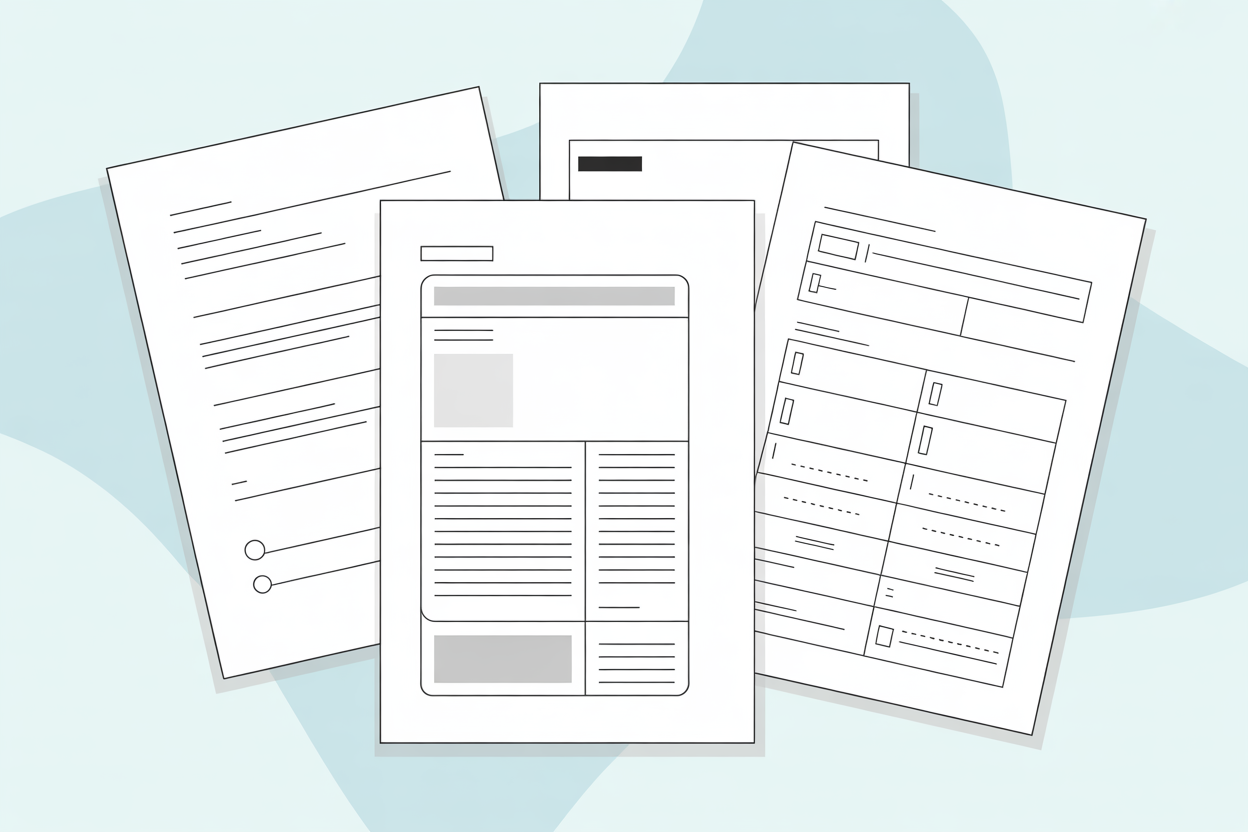
A technical data sheet (TDS) provides essential product specifications, performance data, and usage guidelines in a standardized format. It includes critical elements: product identification, technical specifications, performance characteristics, application guidelines, and compliance information
When creating a technical data sheet, follow a systematic process:
- gather accurate data from testing, organize information logically, use clear formatting, and maintain strict version control;
- use standardized units, industry-standard terminology, and accessible technical language to ensure clarity;
- avoid common pitfalls like vague specifications, outdated data, missing test conditions, and poor formatting;
- make regular updates to ensure accuracy, regulatory compliance, and user safety.
Understanding Technical Data Sheets
A technical data sheet is a standardized document that provides comprehensive technical information about a product. It serves as the authoritative reference for engineers, procurement teams, quality control specialists, and end-users who need detailed specifications to make informed decisions.
Unlike marketing brochures that focus on benefits and selling points, a technical data sheet delivers objective, measurable data. It's also distinct from a Safety Data Sheet (SDS), which focuses on hazard information and safe handling, or a specification sheet, which may only list basic dimensions and features.
When You Need a Technical Data Sheet
You should create a technical data sheet whenever you manufacture or distribute products that need clear, accurate technical information. This includes providing precise technical specifications so the product can be properly integrated or used with compatible systems, sharing performance data to support quality assurance and testing, offering application guidance to ensure correct and safe use, and supplying documentation required to meet regulatory or compliance standards.
Industries That Rely on Technical Data Sheets
Technical data sheets are essential across numerous sectors because they provide standardized, reliable technical information needed for proper selection, safe use, and regulatory compliance:
- Chemical and Materials include adhesives, coatings, lubricants, and polymers, where technical data sheets are used to ensure correct formulation, safe handling, and reliable performance under specific conditions.
- Construction covers building materials, sealants, and concrete additives, with technical data sheets helping to verify strength, durability, and compliance with building codes.
- Electronics involves components, semiconductors, and sensors, and technical data sheets are relied on to confirm electrical characteristics, tolerances, and system compatibility.
- Manufacturing includes raw materials, machinery parts, and industrial supplies, where technical data sheets support production consistency, quality control, and proper equipment integration.
- Automotive spans fluids, parts, and components, with technical data sheets ensuring products meet safety standards, performance requirements, and manufacturer specifications.
Essential Elements of a Technical Data Sheet
A professional technical data sheet includes several core components that help users understand, evaluate, and correctly apply a product.
Header Information
The header usually contains the company logo, product name, and product code, along with the technical data sheet version number and issue date displayed clearly. This allows users to confirm that they are referencing the most current document.
Product Identification
This section generally provides a clear description of the product, including its category, primary application, and any relevant trade names or alternative designations. Where applicable, chemical names and CAS numbers are also included.
Technical Specifications
The technical specifications form the central part of a technical data sheet. Relevant properties are commonly listed with their corresponding values, units, and test methods, such as physical properties like density, viscosity, or melting point; chemical properties such as pH or composition; mechanical properties including tensile strength and hardness; electrical properties like resistance or conductivity; and thermal properties such as thermal conductivity or coefficient of expansion. Test methods or standards, for example, ASTM or ISO references, along with testing conditions like temperature or humidity, are typically noted to provide proper context.
Performance Characteristics
This section outlines how the product performs under different conditions. It often includes typical values, performance ranges, or curves, with clear reference to the conditions under which the data applies.
Application Guidelines
Application guidelines describe how the product is commonly used in practice. These details may cover recommended applications, surface preparation, application methods, coverage or dosage rates, curing or drying conditions, and any specific equipment requirements.
Storage and Handling
Information on storage and handling usually addresses recommended temperature ranges, shelf life, container requirements, handling precautions, and materials that may be incompatible with the product.
Compliance and Certifications
This section lists relevant standards, certifications, and regulatory approvals associated with the product. It may include industry standards, safety certifications, environmental compliance requirements, and quality management certifications.
Contact Information
The technical data sheet typically concludes with contact details for technical support, such as phone numbers, email addresses, and website links, giving users a way to obtain additional information or assistance when needed.
Best Practices for Creating a Technical Data Sheet
Gather Accurate Data
Start with reliable data from your R&D department, quality control lab, or third-party testing. Values should never be estimated or approximated, as accuracy is critical in a Technical Data Sheet. Each data point should include its source and the date it was obtained.
Ensure all testing follows recognized industry standards. If you use proprietary test methods, describe them clearly so users understand how values were derived.
Choose the Right Format
Select a clean, professional layout with adequate white space. A cluttered technical data sheet is hard to read and may cause users to miss critical information.
Organize Information Logically
While a technical data sheet contains all the essential sections outlined above, arranging the information in a logical flow helps users find what they need quickly. Group related information together. Most technical data sheet documents follow this general flow:
- Product identification
- Physical and chemical properties
- Performance data
- Application information
- Storage and handling
- Compliance and safety
Within each section, order properties from most to least important for typical users.
Write Clear, Concise Descriptions
Use precise technical language but avoid unnecessary jargon. Your audience includes technical professionals, but clarity should never be sacrificed for complexity.
Write in active voice when possible: "Apply at room temperature" rather than "Application should be performed at room temperature."
Define abbreviations on first use, even common ones. What's obvious to you may not be to all readers.
Include Tables and Visual Elements
Present data in well-formatted tables for easy scanning and comparison. Use consistent decimal places and align numbers properly.
Include diagrams, charts, or graphs when they clarify information better than text alone. Application diagrams, performance curves, and compatibility charts can be especially valuable.
Maintain Rigorous Version Control
Implement a clear version numbering system. Use major.minor notation (e.g., 2.1) where major numbers indicate significant changes and minor numbers reflect small updates or corrections.
Track what changed between versions. Some companies include a "Revision History" section or maintain it in a separate document management system.
Date every revision and ensure old versions are archived but not distributed. Nothing undermines credibility faster than conflicting information from different technical data sheets versions.
Use Standardized Units
Stick to industry-standard units of measurement. In most technical fields, this means SI units (metric system). If you must include imperial units, provide both and clearly indicate which is primary.
Express ranges appropriately. Use "±" for tolerance ranges, "min" or "max" for one-sided limits, and specific ranges (e.g., "20-25") for typical values.
Keep Language Consistent
Use the same terminology throughout all your technical documents. Create a style guide for your organization that defines preferred terms, units, and formatting conventions.
Be consistent with capitalization, especially for product names and technical terms. Inconsistency suggests carelessness and may raise doubts about accuracy.
Make It Scannable
Use clear headings and subheadings formatted consistently. Bold important values or requirements, but don't overuse emphasis, since not everything can be critical.
Use bullet points for lists, ensuring a consistent structure. If one item begins with a verb, all items should follow the same pattern.
Add Appropriate Disclaimers
Include standard disclaimers about proper use, liability limitations, and the fact that data represents typical values rather than specifications unless explicitly stated otherwise.
Make clear that the technical data sheet is provided for informational purposes and that users should conduct their own testing for critical applications.
Review and Validate
Have multiple people review every technical data sheet:
- Technical experts verify accuracy
- Quality assurance checks for completeness
- Marketing ensures brand consistency
- Legal reviews disclaimers and claims
Never publish a technical data sheet based on one person's input alone. Technical errors in published documents can lead to product failures, safety issues, and legal liability.
Update Regularly
Review all technical data sheet documents annually at minimum, or whenever:
- Product formulations change
- New test data becomes available
- Regulations are updated
- Customer feedback reveals confusion or errors
Mark superseded versions clearly and remove them from circulation promptly.
Common Mistakes to Avoid
- Vague specifications are a common issue. Terms like "high strength" or "fast curing" are meaningless without measurable values and appropriate units.
- Missing test methods make data difficult to reproduce or verify. For example, stating "tensile strength: 50 MPa" without indicating the test method (e.g., ASTM D638) leaves users uncertain about how the value was determined.
- Outdated information can cause problems. Using old data or failing to update the technical data sheet when formulations change may lead to customer complaints and potential safety issues.
- Overly complex language reduces accessibility. Using unnecessarily sophisticated terminology or convoluted sentence structures can confuse readers and obscure key information.
- Inconsistent formatting appears unprofessional. Mixing units (metric and imperial), varying decimal places, or using different formats for similar products makes the document harder to read.
- No version control creates uncertainty. Distributing documents without version numbers and dates makes it impossible to know which information is current.
- Incomplete contact information frustrates users. Failing to provide clear technical support contacts prevents users from obtaining clarification when needed.
- Ignoring limitations is risky. Every product has limitations, and failing to document them does not eliminate the risks, often leading to misapplication and disappointed customers.
Templates and Standards
Many industry associations provide technical data sheet templates and standardized formats that ensure consistency and meet industry expectations.
Industry Standards Organizations:
- ASTM International offers standards for technical documentation across multiple industries
- ISO (International Organization for Standardization) provides formatting guidelines and documentation standards
- Industry-specific associations often publish templates tailored to their sector's requirements
Check if your industry has preferred formats before creating your own from scratch. Using established templates ensures your technical data sheet meets user expectations and facilitates easier comparison between products.
Software for Technical Product Data Sheets
Office Programs
Standard office applications are suitable for creating straightforward technical data sheets, especially for small businesses or simple products:
- Microsoft Word is the most widely used option for text-based TDS documents. It offers templates, tables, and basic formatting capabilities
- Google Docs is a cloud-based alternative with collaboration features, ideal for teams working on technical data sheet documents together
- Microsoft PowerPoint is useful when your technical data sheet requires more visual layouts or when you want to present technical data in a slide-based format
- LibreOffice Writer is a free, open-source alternative with similar functionality to Microsoft Word
- Apple Pages allows Mac users to create professional-looking technical data sheet documents with built-in templates
Office programs are an excellent fit for small to medium-sized businesses managing a limited product portfolio, startups with budget constraints, or organizations that need to create simple, text-focused technical data sheets without complex design requirements. These tools are particularly suitable when you have fewer than 50 products and update your technical data sheets documents infrequently.
Desktop Publishing Software
For companies requiring professional layouts, complex formatting, or design-intensive technical data sheets, desktop publishing software provides advanced capabilities:
- Adobe InDesign is industry-standard professional layout software offering precise control over typography, graphics, and multi-page documents. It is ideal for creating a visually sophisticated technical data sheet that aligns with brand guidelines
- Affinity Publisher is a cost-effective alternative to InDesign with professional-grade features for layout and design
- QuarkXPress is a veteran desktop publishing software still used in many technical publishing environments
- Scribus is a free, open-source desktop publishing software suitable for creating professional technical data sheet layouts
Desktop publishing software is best suited for organizations that prioritize visual branding and professional presentation, companies managing 50-500 products, and industries where design quality significantly impacts customer perception. This includes manufacturers in consumer-facing sectors, companies producing marketing collateral alongside technical documentation, and organizations with dedicated design or technical writing teams that require advanced layout control and multi-page document capabilities.
Product Information Management (PIM) Software
PIM systems offer the most comprehensive solution for companies managing large product portfolios, enabling automated technical data sheets generation and centralized data management:
- AtroPIM is an open-source PIM software that can generate TDS directly from centralized product data. Offers customizable templates, multi-language support, and automated document generation
- Akeneo is an enterprise PIM solution with TDS generation capabilities and extensive integration options
- inRiver is a PIM platform designed for manufacturers with robust technical documentation features
Many PIM systems offer integrations with database publishing software, combining the benefits of centralized data management with professional layout capabilities. For example, AtroPIM supports integration with Adobe InDesign via the EasyCatalog Plugin, enabling automated population of InDesign templates with product data directly from the PIM system. This integration streamlines the creation of design-intensive technical data sheets while maintaining data accuracy and consistency.
PIM systems are the optimal solution for medium to large enterprises managing extensive product catalogs with hundreds or thousands of SKUs, organizations with multiple product variants or formulations requiring frequent updates, and companies operating in multiple markets with multi-language documentation needs.
These platforms are particularly valuable for manufacturers needing strict version control and comprehensive audit trails, businesses requiring seamless integration with ERP, CRM, or e-commerce systems, and organizations where product data accuracy and consistency across all channels are mission-critical. PIM software centralizes product information, ensures documentation consistency, and automatically generates updated technical data sheets whenever product specifications change.
Remember: A well-crafted technical data sheet is an investment in customer satisfaction, product quality, and regulatory compliance. Take the time to create it properly, maintain it diligently, and your technical data sheets will become a trusted resource that supports your product throughout its lifecycle.