


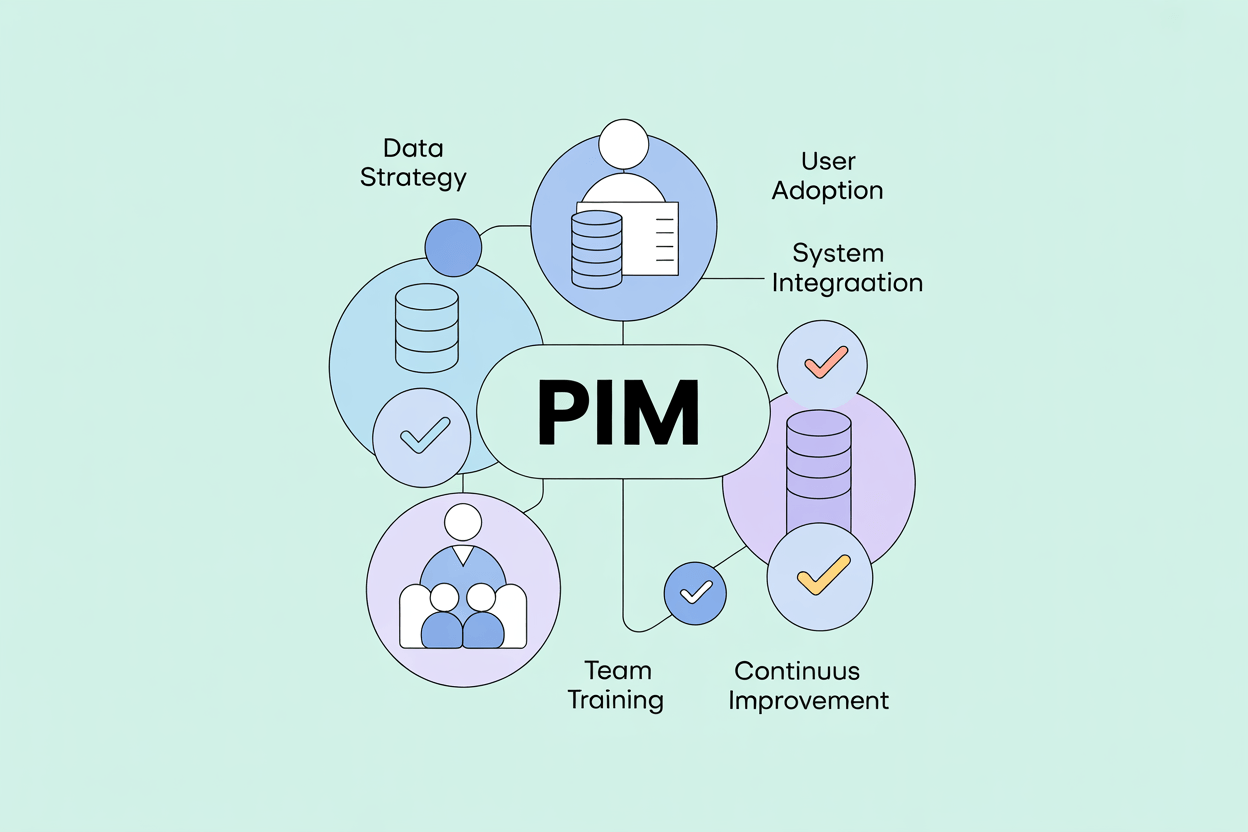
Key takeaways:
- Most PIM implementation failures happen before a single line is configured, in the concept and requirements phase.
- Data migration and integration architecture decisions made early determine how much rework happens later.
- Change management is not a soft concern. It determines whether the system gets used.
- Shipping a working solution and iterating beats waiting for a perfect one.
PIM implementation projects are almost always underestimated. Companies introducing a product information management (PIM) system for the first time have no internal baseline for what the project actually involves: how long data migration takes, how many edge cases surface in the data model, how much cross-department alignment is required before a single product record is complete.
These 21 practices are drawn from real implementations. Some are process decisions, some are technical, and some are about managing people.
1. Invest Time in the Concept Phase Before Touching the Software
The most expensive PIM implementation mistakes are made in the first two weeks, not the last two. Rushing into configuration before the PIM requirements are documented and agreed on leads to rework that costs three to five times what the original decision would have.
The concept phase should produce two things: a documented list of business requirements that the system must satisfy, and a shared understanding between your team and the contractor about what will be built. For ambiguous requirements, mockups are worth the time. They surface disagreements before the build starts, not after.
In projects we implemented for mid-size manufacturers, teams that spent four to six weeks in the concept phase completed implementation in roughly half the time of teams that started configuring immediately. The difference was not capability. It was clarity.
2. Secure Stakeholder Alignment and Executive Buy-In Early
PIM implementation affects more departments than most people anticipate. Marketing, e-commerce, product management, IT, procurement, and sometimes sales and logistics all interact with product data in ways that the new system will change. If the stakeholders running those departments are not aligned before the project starts, they will relitigate decisions mid-build.
Executive sponsorship matters for a different reason. A PIM project that competes for budget and engineering resources with other priorities will be deprioritized when those priorities conflict. An executive sponsor with a direct interest in the outcome resolves those conflicts faster and at a lower level than escalating through a project committee.
Getting buy-in is easier when the project is framed in business terms: faster time-to-market, fewer product data errors reaching the channel, lower operational cost per published SKU. The technical case does not land as well as the operational one.
3. Settle Data Governance Questions Before Implementation Begins
Project teams tend to spend time on things they understand and avoid things that are difficult to define. A common pattern: extended discussion about where fields appear on the product screen, while the question of which attributes are mandatory versus optional never gets answered.
Mandatory and optional attributes determine data completeness rules, which determine workflow logic, which determines how users are held accountable for quality. Getting this wrong in the concept phase creates data governance problems that are difficult to untangle later.
Push the hard questions early: which attributes are required before a product can be published, who owns each data domain, and what "complete" means for a product record. These are harder to answer than layout questions, but they are the ones that matter.
4. Evaluate Your Implementation Partner Early and Act Quickly If Something Is Wrong
The implementation partner's job is to help you avoid mistakes, not just execute instructions. If the consultant is passive in the early weeks, waiting for your team to define everything, not flagging risks, not asking the right questions, that is a signal worth taking seriously.
Red flags that indicate the wrong partner:
- Communication is slow, vague, or requires repeated follow-up.
- Early deliverables do not reflect what was discussed.
- Budget estimates shift repeatedly without clear explanation.
- The team is reactive rather than proactive.
Changing partners is painful, but doing it at week three is significantly less painful than doing it at month six. The longer the project continues in the wrong direction, the more expensive the correction becomes.
5. Define Data Ownership Across Systems Before PIM Integration Begins
A PIM system is one node in a larger data ecosystem. It sits between operational systems (ERP, procurement) that generate product data and sales channels (webshop, marketplaces, retail portals) that consume it. The integration design needs to answer one question clearly: for each data field, which system is the authoritative source?
Without this, bidirectional syncs cause silent data corruption. A price update from the ERP overwrites a description update from the PIM, or vice versa, depending on which sync runs last. These conflicts are difficult to diagnose after the fact.
The rule that works in practice: the PIM owns marketing and sales-related product content. The ERP owns commercial and operational data. Where there is overlap (product names, unit of measure, technical specifications), document the ownership explicitly and enforce it technically where possible by restricting write access in the non-authoritative system.
The PIM then functions as the single source of truth for all product content flowing to the channel, with the ERP as the authoritative source for the operational data feeding it. This distinction is worth formalizing in the project documentation.
6. Treat Change Management as a Project Deliverable, Not an Afterthought
A PIM implementation can fail with excellent software and solid configuration if the people using it resist the change or do not understand why it benefits them. This is more common than most project plans account for.
The two most common forms of resistance: passive non-adoption (users continue maintaining Excel files alongside the PIM) and active friction (teams argue that the system does not support their existing process).
Both are addressable if you engage affected departments early, explain the benefit in terms of their work rather than the company's strategy, and involve them in decisions that affect how they will use the system. A product manager who helped define the workflow is more likely to follow it than one who had it handed to them.
A complicated system leads to longer training cycles and higher ongoing support costs. Simplicity in configuration has a direct cost benefit.
7. Plan a Phased Rollout Rather Than a Big Bang Launch
Attempting to go live with the full product catalog, all integrations, and every user group simultaneously is one of the most reliable ways to make a PIM project fail visibly. Scope, complexity, and timeline all compound. When something breaks, it is harder to isolate and fix.
A phased rollout starts with a manageable pilot: one product category, one channel, one team. The pilot surfaces real configuration problems in a controlled environment where the cost of fixing them is low. It also produces the first working version of the system, which builds confidence across the organization and gives the project something concrete to point to.
From the pilot, expand methodically. Add product groups, then channels, then user roles. Each phase should have defined entry criteria and exit criteria. This keeps the project controllable without adding bureaucracy.
8. Build in Flexibility for Requirements That Will Change Mid-Project
Requirements change during implementation. This is not a planning failure. It is a normal feature of projects where users interact with a real system for the first time and discover what they actually need.
The useful approach is not to prevent changes but to organize the project so that changes can be accommodated without derailing the timeline. Establish a process for evaluating mid-project requests: assess the impact on scope, cost, and timeline, decide whether to include in the current phase or defer to a follow-up, and document the decision.
A manufacturer we worked with realized mid-project that they needed to grant a translation agency direct access to the PIM for localizing product descriptions. This was not in the original scope. Adding it added two weeks to the project. Excluding it would have left a permanent manual bottleneck in their localization process.
9. Redesign Processes for the New System, Not Around Your Old Ones
One of the more expensive habits in PIM implementation is treating the current process as a constraint rather than a starting point. Teams map their existing workflows, including every exception, workaround, and manual step, into the new system, and end up with something more complex than what they started with.
The purpose of a PIM system is to improve process efficiency and product data quality. If the implementation recreates the current process in a different tool, neither outcome is achieved.
Standard processes handle the majority of cases in most catalogs. Special configurations to accommodate edge cases add implementation complexity, increase maintenance overhead with each system update, and are often bypassed anyway once users find a faster workaround.
Reconsider every existing process before mapping it.
10. Replace Excel with the PIM as Your Single Data Source
A PIM project that results in parallel use of Excel and the PIM is not a successful implementation. It is a more expensive version of what the company had before.
The practical issue is data divergence: when two sources contain overlapping product information and are updated independently, they will eventually contradict each other. Identifying which version is correct and reconciling the discrepancy costs time, creates errors in published content, and erodes trust in both systems.
The transition plan should include an explicit cutoff: a date after which product data is maintained exclusively in the PIM. This requires that the PIM actually covers all the functions that Excel was being used for: tables, calculations, structured exports. Most modern PIM systems do. If yours does not, that is a requirements gap to address before go-live.
11. Know When Configuration Ends and Custom Development Begins
No off-the-shelf PIM system will satisfy every requirement out of the box. Most will cover the majority through configuration: adjusting field types, validation rules, workflows, and layouts without writing code. For requirements that fall outside what configuration can handle, there are generally two options: buy an existing module or commission custom development.
Custom development takes more time and costs more upfront. It also gives you something that fits your process precisely rather than something you have to adapt your process to fit.
In projects with complex manufacturer catalogs covering technical specifications with conditional logic, approval chains that vary by product category, and export templates with specific formatting requirements, custom development on targeted PIM features has consistently produced better long-term outcomes than trying to force the requirement into a configuration it was not designed for.
The judgment call is whether the requirement is core to your operation or peripheral. Core requirements are worth custom development. Peripheral ones usually are not.
AtroPIM supports both paths: extensive configuration through its flexible data model and module system, and custom development via its open architecture and per-instance OpenAPI documentation.
12. Involve Every Affected Department Before You Select the PIM System
The departments that will use a PIM system are rarely the ones that select it. IT or management makes the decision, and marketing, e-commerce, product management, and print catalog teams find out afterward. This produces predictable problems: missing requirements, misaligned workflows, and resistance to adoption.
The right sequence is to identify all stakeholders who interact with product data, including those that currently manage data in ways that are not visible to management, such as teams maintaining local spreadsheets or product sheets in shared drives, and involve them in requirements gathering before you evaluate any system.
What you learn from these conversations often changes the selection criteria significantly. A department that manages 40 product attributes per SKU has different requirements than one that manages 10. A team that publishes to six channels has different needs than one that publishes to two.
Involving these teams in implementation also shortens adoption time. Users who helped shape the system understand it better and are more willing to work with it.
13. Build a Working Solution First, Extend It Later
The impulse to build a comprehensive system that handles every possible future requirement is understandable but counterproductive. It extends timelines, increases costs, and produces a data model so complex that maintenance becomes difficult.
Product data teams learn what they actually need by using the system, not by theorizing about it. In practice, the maintenance overhead of an additional category tree or a second set of validation rules that covers a scenario that has not occurred is rarely worth the initial investment.
The goal is a system that solves the problems your team encounters in daily work. Solve those well. Build in enough flexibility to extend the system when new requirements become clear. And they will. But do not try to solve problems that do not exist yet.
14. Design the PIM Data Model and Taxonomy to Accommodate Future Growth
Optimizing for useful does not mean building something disposable. The architecture decisions made during implementation (how attributes are structured, how the taxonomy is organized, how channels are mapped) are difficult and expensive to change later.
Leave room for the system to grow. This means a few specific things in practice: avoid hardcoding values that are likely to change (channel names, locale codes, category structures), use a modular attribute schema that allows new attribute groups to be added without restructuring existing ones, and make decisions about export formats and API integrations with the understanding that the number of integration points will increase.
The systems that age best are the ones built to be changed, not the ones built to be complete.
AtroPIM's modular architecture supports this directly: new capabilities can be added through premium modules without modifying the core data model, which preserves the investment in the original configuration while allowing the system to grow with the business.
15. Start PIM Data Migration Earlier Than You Think Necessary
Data migration is almost always the element that runs over schedule. The reasons are consistent: the volume of data is larger than estimated, data quality problems surface during preparation that were not visible beforehand, and the import process reveals gaps or inconsistencies in the data model that require adjustments before the data can be loaded correctly.
An early start gives you time to address all three. Identify every source of master data (ERP exports, supplier spreadsheets, legacy databases, shared drives) at the beginning of the project, not at the end. Assess the quality of each source before you plan the migration. Build time for remediation into the schedule.
Data quality improvement is not a migration step. It is a continuous process. But the migration is when the full scope of the quality problem becomes visible, and that is a difficult moment to encounter two weeks before go-live.
16. Migrate Data As-Is First, Then Improve It
The instinct to clean and restructure data before migrating it is reasonable but usually counterproductive. Making decisions about what to keep, remove, or restructure requires understanding how the data behaves in the new system. You do not have that understanding until the data is there.
Transfer data unchanged into the PIM. Run completeness checks, identify missing values, and flag structural problems once the data is in the system. Then make cleanup decisions based on what you can see, not on what you expect to find. Data enrichment (adding missing attributes, standardizing values, improving descriptions) is a post-migration activity, not a pre-migration one.
This approach also prevents accidental data loss. Details that seem unnecessary during migration often turn out to be important once the system is in use. Reversing that decision after the fact is slower than having kept the data and removing it deliberately.
17. Treat PIM Integration Architecture as a Core Requirement, Not a Phase 2 Item
A PIM that cannot connect automatically to the systems feeding it and the channels consuming it produces manual synchronization work. Manual synchronization of thousands of product records produces inconsistencies. Inconsistencies produce errors in published content that are time-consuming to identify and fix.
Omnichannel distribution puts particular pressure on integration quality. If your product information management system needs to push consistent data to a webshop, multiple marketplaces, retail partner portals, and print production in near-real time, file-based batch exports do not scale. API-based integration with event-driven updates for fast-changing data is the architecture that supports omnichannel operations without manual intervention.
Before selecting a PIM system, verify that it supports the integrations your architecture requires, not just in general but specifically: ERP connectivity, bidirectional sync where needed, and clear conflict resolution logic. If integration capability is limited or requires significant custom work to achieve basic connectivity, that is a selection problem, not a configuration problem.
Our customers who replaced file-based ERP synchronization with API-based integration through AtroPIM consistently report a reduction in data errors and a significant decrease in the time between an ERP update and its appearance in the sales channel.
18. Write Documentation During Implementation, Not After
Documentation written after the implementation is based on memory and tends to describe how the system was intended to work rather than how it actually works. Documentation written during implementation is more accurate, more detailed, and more useful.
This does not mean documenting every system function: the PIM vendor provides that. The goal is documenting the decisions specific to your implementation: why certain attributes were structured the way they were, what the approval workflow rules are and what exceptions exist, how import and export templates are organized, which users are responsible for which data domains.
This documentation serves two purposes: it reduces the support load after go-live, and it preserves institutional knowledge when team members change roles or leave. Both are predictable events. The cost of not having documentation when they occur is consistently higher than the cost of creating it.
19. Define KPIs Before Go-Live and Measure ROI Afterward
A PIM implementation without defined success metrics is difficult to defend and difficult to improve. The outcomes the system was supposed to deliver (faster time-to-market, fewer data errors reaching the channel, reduced time spent on manual data entry, higher product data completeness rates) need to be established as measurable targets before go-live, not described in retrospect.
Useful KPIs for a PIM implementation include: percentage of product records meeting the completeness definition, time from product creation to first publication, error rate in channel-distributed data, and number of manual integration steps replaced by automated sync. These metrics are specific enough to track and map directly to the operational problems the system was introduced to solve.
ROI from a PIM implementation materializes on both the cost and revenue side. Operational savings come from reduced manual data management and fewer channel errors requiring correction. On the revenue side, faster listings on new channels and higher conversion from complete, enriched product content both depend directly on the quality of what the PIM produces. Documenting the baseline before go-live makes the ROI calculation meaningful rather than approximate.
20. Configure Access Controls and Validation Rules from Day One
Data quality problems in a PIM system are rarely caused by malicious action. They are caused by users who had access they should not have had, or who were not prevented from leaving a field empty or entering a value in the wrong format.
Access controls and validation rules are not a post-go-live cleanup task. They are part of the initial configuration. Define which roles can read, create, edit, and delete records. Set mandatory fields. Configure format validation for structured attributes like EAN codes, dimensions, and product classifications. Enable workflow-based publishing gates that prevent incomplete records from reaching the channel.
Where validation logic is too complex to configure declaratively, it can be programmed. The investment pays back quickly in reduced error rates and lower editorial overhead.
21. Use the Full Capability of Your PIM System
A PIM system configured and then used narrowly, as a slightly better spreadsheet, is not delivering on its value. Modern PIM platforms, particularly those built on flexible data platforms, can take on functions that reduce the total number of systems a company needs to maintain.
AtroPIM, built on the AtroCore platform, is designed for this. Beyond standard product information management functions, it can act as middleware between ERP and sales channels, handle price calculations and business rule processing, manage digital assets natively through its built-in DAM, generate PDF product sheets and catalogs directly, support supplier collaboration workflows, and handle omnichannel syndication to any number of channels via its REST API. Each of these functions that the PIM handles is one fewer integration point to maintain elsewhere.
The point is not to expand scope for its own sake. It is to evaluate, once the system is stable, whether adjacent problems could be solved within the platform you already have rather than adding another tool to the stack.
The highest-performing PIM implementations we have seen are not the most sophisticated ones. They are the ones where the team defined a clear problem, built a focused solution, and expanded the system deliberately as real requirements emerged.
That is the pattern worth following.