


Key Takeaways: The most common PIM challenges are predictable: poor input data, underestimated integration complexity, weak user adoption, unclear goals, hidden costs, scalability and localization demands, uncoordinated supplier data intake, regulatory compliance gaps, and legacy system constraints. Each product information management challenge is solvable if you treat it as a known failure mode rather than an afterthought. The organizations that get the most from PIM are the ones that plan for these problems before go-live, not after.
PIM challenges tend to follow the same pattern regardless of company size or industry. Fragmented product data spread across webshops, marketplaces, print catalogs, spreadsheets, and legacy systems produces inconsistent pricing, missing attributes, and outdated descriptions. Product Information Management (PIM) software solves this for most mid-sized manufacturers and distributors. But the product information management challenges that appear during implementation and scaling are where projects fail. They show up in nearly every project, and knowing them before go-live is what separates a smooth rollout from an expensive recovery that kills any PIM ROI the project was supposed to deliver.
Poor Product Data Quality
Most PIM implementation challenges start here: an import from multiple legacy sources, including ERP systems, supplier spreadsheets, shared drives, and old CMS tools. The data is almost always incomplete, duplicated, or defined differently across teams. The same product may exist three times with different SKUs, missing dimensions, and conflicting descriptions. Teams typically assume their data is good enough until it lands in a central system and the problems become visible all at once. PIM reflects and amplifies existing data problems. It does not solve them automatically. And the downstream cost is real: inaccurate product descriptions are a leading driver of returns, because what the customer receives does not match what the listing described.
A structured data audit before go-live identifies duplicates, missing attributes, and inconsistencies. Steps include standardizing units of measure, aligning attribute definitions, and cleaning up product naming. Alongside this, ownership needs to be defined: which team manages technical specifications, which manages marketing copy, which manages compliance data. Without clear ownership, the same problems return within months.
Mandatory fields, format checks, and automated data completeness indicators prevent incomplete records from being published and keep PIM data quality stable over time. In projects we implemented using AtroPIM, the platform's configurable data model made it straightforward to enforce required attributes at the workflow level. Products with missing fields could not move to the published state. That single constraint shifted behavior across the whole product team.
PIM Integration Issues
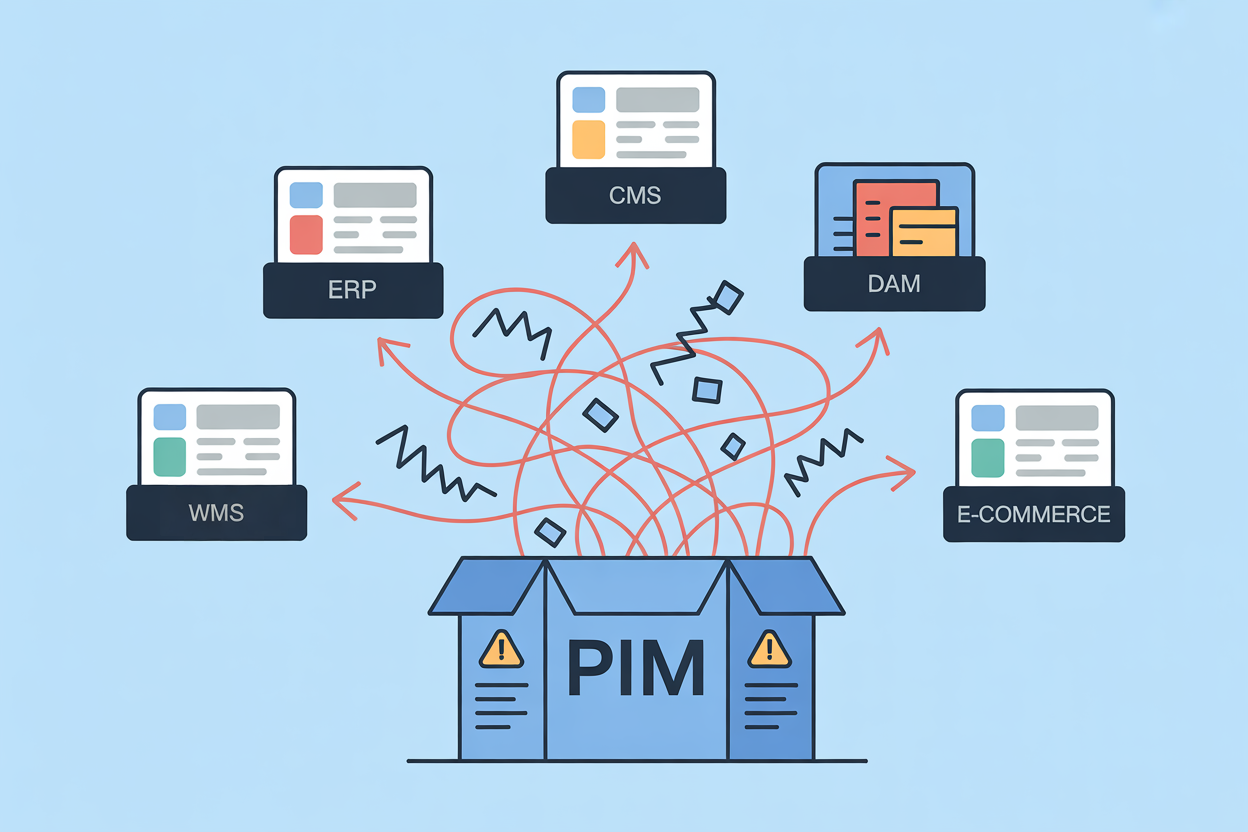
Most organizations already run five or six systems before PIM enters the picture: an ERP, one or more e-commerce platforms, a CMS, a DAM, and sometimes separate regional systems. Prices and stock live in the ERP. Marketing content lives in the CMS. Images live in the DAM. The PIM needs to connect with all of them, in both directions, with defined update frequencies, and push consistent product data across every multichannel output simultaneously: webshops, marketplaces, print catalogs, retailer feeds.
Integration is where the most expensive mistakes happen. Teams discover too late that product data is owned by multiple systems, updated on different schedules, and required in different formats. The typical response is manual exports, duplicated logic, and custom scripts that work until they don't. These workarounds eventually become the architecture, and they create fragile dependencies that are expensive to untangle.
Integration planning belongs in the requirements phase, before any configuration starts. You define which system owns which data: ERP owns pricing and inventory, PIM owns product content. Data flows, update frequencies, and API contracts are documented before writing a line of integration code. Middleware layers replace point-to-point connections and make future changes easier to manage.
Piloting integrations with a limited product set before full rollout catches problems when they are still contained. Full rollout comes after the pilot proves the design.
Low PIM User Adoption
When marketing teams, product managers, and data coordinators move from familiar spreadsheets to a PIM system, resistance is common. The workflows change. The approval processes are new. The mental model of how product data works shifts. This is not irrational behavior. It is a predictable response to changed routines.
Research consistently shows that poor user adoption is behind roughly 70% of enterprise software project failures. Low PIM user adoption is one of the most direct ways a technically successful implementation delivers no PIM ROI. A PIM that no one uses is just an expensive database.
Our customers often face this in the first month after go-live. The system is configured correctly, the data is loaded, and then usage stalls. People keep updating spreadsheets in parallel. The most effective interventions are early involvement and role-specific training. Representatives from Marketing, Product, and E-commerce join the project during requirements and configuration, not just during training. They build familiarity with the system before it goes live, which makes the transition less abrupt.
Training works best when it maps to actual daily tasks. A content editor needs to know how to enrich product descriptions and manage translation workflows. A product manager needs to know how to push records through approval stages. Generic system overviews cover neither well.
Vague Objectives and Scope Creep
PIM projects that start with broad objectives like "improve product data quality" tend to grow in ways that are hard to control. Without measurable goals, requirements expand during implementation. Teams add workflows, channels, and integrations that are not necessary for the initial launch. The system becomes more complex, delivery slows, and the connection to actual business priorities weakens.
The fix is a set of measurable targets defined before implementation starts. Reduce time-to-market for new product lines from eight weeks to four; reach 98% data completeness on all published records; cut manual maintenance hours by half. These targets give the project a boundary. When a new requirement arrives mid-project, it can be tested against the target. If it helps reach it, it belongs in scope. If not, it goes on a future list. This is one of the PIM implementation challenges that is entirely self-inflicted and entirely avoidable.
Starting with core product data and a limited number of channels keeps the initial scope contained. Workflows and integrations are added only after the initial setup is stable, so complexity builds at a pace the team can absorb.
Underestimating PIM Total Cost of Ownership
Licensing costs are visible and easy to compare. Implementation costs are not. Most PIM projects underestimate the effort required for data cleansing, system integration, configuration, user training, and ongoing support. These costs are often discovered after the project is already running.
Data preparation alone is commonly underestimated by a factor of two to three. If a manufacturer needs to migrate 50,000 product records from five systems with inconsistent formats, the cleansing effort is substantial before a single integration is built.
Integration costs are another common surprise. In practice, connecting PIM to an ERP, a webshop, and a DAM often costs three to five times the license fee when middleware, custom mapping, testing, and ongoing maintenance are included. Add supplier onboarding, user training across multiple departments, and a support contract, and the total spend in year one looks very different from the initial software quote. Organizations that budget only for the license tend to run out of project funding before the system is useful.
The budget decision needs a sponsor with cross-functional authority, not just IT ownership. When PIM is treated as an IT procurement rather than a business initiative, the teams that bear the implementation workload (Product, Marketing, E-commerce) have no stake in the budget and no mechanism to flag when cost estimates are unrealistic. Projects that assign shared ownership early, with representatives from each affected team, surface cost surprises before they become project-stopping problems.
PIM Scalability Problems
Most PIM systems handle early-stage rollouts without issues. The PIM scalability problems appear later. Adding new product lines, entering markets that require multilingual content, or onboarding more users puts pressure on systems that were not designed for growth.
International expansion shows how quickly this breaks. Each product suddenly needs three or four language versions, market-specific attributes, regional compliance data, and feeds for regional marketplaces and print catalogs. If the PIM data model is rigid or the system lacks the performance to handle the increased volume, teams start working around it. Data gets exported into spreadsheets. Manual parallel processes return. The PIM becomes one channel among many rather than the central source it was meant to be.
Localization is more than translation. A product record adapted for the German market needs attribute labels in German, units in metric, pricing in euros, and potentially different safety classification fields than the same product sold in the US or UK. Channel-specific taxonomy requirements add another layer: a product listed on a German B2B marketplace may require attributes that an e-commerce webshop does not, and vice versa. Organizations that treat localization as a translation task consistently underestimate the structural demands it places on the data model. The PIM needs to store language variants, regional attribute sets, and channel-specific formats within a single master record, not as separate copies that diverge over time.
Functional PIM scalability also has a cost dimension. Adding channels, languages, and product types typically requires additional configuration, storage, and sometimes licensing. In our experience, this can double or triple the original cost estimate if it is not planned for. Selecting a PIM with a flexible data model and cloud-native architecture reduces this risk. Attribute structures, channel configurations, and product relationship types should be extendable without custom development.
AtroPIM is built for this growth pattern. Its modular architecture lets teams add new product types, custom entities, and attribute sets through configuration rather than development. Channel-specific data preparation, localization across multiple languages, and print catalog output are handled natively, so adding a new market or a new distribution channel does not require rebuilding existing integrations.
Supplier Data and Internal Collaboration Gaps
Product data does not originate in one place. Suppliers deliver specifications, images, and compliance documents. Internal teams in Product, Marketing, and E-commerce each contribute different parts of the record. When these contributions are not coordinated, teams duplicate effort, publish incomplete records, or wait on each other without visibility into why.
In manufacturing this plays out predictably: the supplier delivers technical data two weeks before launch in a spreadsheet with non-standard attribute names. Marketing is already preparing content based on estimates. No one has confirmed that compliance documents are complete. The product ships with incomplete data, and someone fixes it manually after the fact.
Supplier portals and structured import processes address the supplier data intake problem. When suppliers submit data through a defined format, the need for manual rework drops. Role-based workflows inside the PIM coordinate internal contributions. An editor cannot publish a record until technical and marketing attributes meet data completeness thresholds. Audit trails make it clear who changed what and when.
AtroPIM's configurable workflows support this across varied team structures and supplier types. A manufacturer with a hundred active suppliers and three internal content teams can enforce a consistent review and approval process without forcing every team into the same workflow pattern.
Regulatory Compliance and Product Data
For manufacturers in safety equipment, electrical components, chemicals, building materials, and automotive parts, regulatory compliance is not a background concern. It is a product data problem. Products sold in the EU may require CE marking, REACH declarations, RoHS compliance fields, or safety data sheets structured to specific standards. The same product sold in the US may need FCC certification details, CPSC documentation, or California Prop 65 warnings. Each market adds its own required attributes, and those requirements change over time as regulations are updated.
Without a PIM system that accommodates compliance data as a first-class attribute type, this information ends up scattered: some in ERP fields not designed for it, some in shared drives, some in email threads with the compliance team. The result is products published with missing or outdated regulatory data, which creates legal exposure and can delay market entry entirely.
Managing compliance in PIM means building the required regulatory attributes into the data model, assigning ownership to a compliance team or role, and enforcing completeness rules so a product record cannot be published to a regulated market without the necessary fields populated. Audit trails matter here: when a regulator or a buyer asks which version of a safety declaration was valid at the time of sale, the PIM should be able to answer that from its change history. In projects involving manufacturers supplying to industrial distributors across multiple European markets, this traceability requirement alone justifies the investment in structured compliance data management.
When Legacy PIM Systems Become the Problem
Some organizations hit these PIM challenges not during a first implementation but after years of running an older system. Legacy PIM platforms often lack the flexible data models, API coverage, and workflow configurability that modern product portfolios demand. Adding a new sales channel or a new product category requires development work that should need only configuration. Performance degrades under growing catalog volumes. Integrations built five years ago break when ERP or e-commerce platforms are updated.
The clearest signals that a legacy PIM has reached its limit are operational, not technical. Teams maintain export scripts to push data into spreadsheets before feeding downstream systems. Integration maintenance consumes developer sprints that should go to new features. Adding a new channel or product type requires a scoping call with the vendor. Product managers stop enriching product records because the interface is too slow or too rigid to match how they actually work. When these workarounds are standard practice, the maintenance cost of the legacy system has already exceeded what migration would cost over any reasonable horizon.
A full system replacement is not always necessary. A phased migration, starting with the product categories under most active development, reduces risk and keeps operations running. But the math is simple: if maintaining the current system costs more in developer time, workarounds, and missed channel opportunities than migrating would, staying is the more expensive choice. Proprietary legacy platforms compound this because switching costs are baked into the architecture by design. AtroPIM's open-source model avoids this entirely. There is no vendor lock-in, no license renegotiation when you scale, and the full codebase is available for inspection and customization without dependency on a single supplier.
Product Data Governance
Product data governance is the discipline that makes any PIM system, old or new, sustainable. Governance defines who owns each data attribute, what data completeness threshold triggers publication, how conflicts between source systems are resolved, and how often records are reviewed. Without product data governance, even a well-implemented PIM drifts back into inconsistency over time. It is not a one-time project task. It is an ongoing operational responsibility, and it is one of the PIM challenges that outlasts the implementation project by years.
A minimal governance framework does not need to be complex. An attribute ownership register maps each data field to a responsible team. Completeness rules define what a publishable record looks like. A conflict resolution policy decides which source system wins when the same attribute exists in both the ERP and the PIM. A review cadence, quarterly for most manufacturers and more frequent for fast-moving product lines, keeps records from going stale. Organizations that document these four things before go-live spend significantly less time firefighting data quality problems after it.
PIM system challenges are not unique to specific industries or company sizes. They show up in manufacturing, distribution, building materials, safety equipment, and automotive components. The difference between projects that deliver and projects that stall comes down to whether the organization treats product data as operational infrastructure or as a cleanup task that follows the software go-live.