


Key Takeaways:
- ERP manages operational data (inventory, pricing, SKUs, procurement).
- PIM manages product content (descriptions, images, translations, channel-specific attributes). The two systems are complementary, not competing.
- Most manufacturers and distributors with complex catalogs or multiple sales channels need both.
- Extending an ERP to do PIM work is technically possible but creates maintenance debt that compounds with every system update.
The PIM vs ERP question comes up in almost every conversation about product data management, and it usually starts the same way: a manufacturer already running an ERP wonders why product content is still a mess. Manufacturing accounts for 47% of new ERP implementations across all industries, which makes sense: inventory, production, procurement, and logistics are exactly what ERP is built for. But an ERP built around transactional efficiency is not the same thing as a system built to manage product content at scale. The two problems are genuinely different, and solving one does not solve the other.
What ERP Is Built For
ERP (Enterprise Resource Planning) is the operational backbone of a manufacturing or distribution business. It connects finance, procurement, inventory, production, and logistics into a single system, so departments stop working off separate spreadsheets and everyone sees the same data. In the ERP vs PIM comparison, this is the transactional side: ERP is where orders are processed, stock is tracked, and costs are controlled.
The core data in an ERP is quantitative: SKUs, pricing, costs, stock levels, warehouse locations, vendor details, bills of materials, customer order histories. The users are operations, finance, supply chain, and warehouse teams. Their concern is process accuracy and resource efficiency.
An ERP solves specific, recurring problems. Without one, inventory becomes unreliable and overselling happens because nobody has a real-time view of stock across warehouses. Order processing slows down when sales, warehouse, and accounting teams run on separate systems with manual handoffs between them. Vendor performance is difficult to track without a single record of pricing, lead times, and delivery reliability.
With a properly implemented ERP, these problems go away. That is what it is designed to do. For manufacturers managing hundreds of suppliers, multiple warehouses, and complex production schedules, an ERP delivers exactly what those operations require: a single transactional record that everyone works from, updated in real time, with no reconciliation needed between departments.
What PIM Is Built For
PIM (Product Information Management) is a system for centralizing, enriching, and distributing product content. It acts as the single source of truth for all product information: descriptions, images, videos, technical specifications, certifications, translations, related products, and channel-specific variants of all of the above.
Where an ERP stores the SKU and the price, a PIM stores everything a customer, a distributor, or a marketplace needs to understand and evaluate the product. The users are marketing, e-commerce, content, and catalog teams. Their concern is data quality, consistency, and speed of publication across channels. For companies with omnichannel distribution, that scope is wide: the same product record may need to publish to a website, a B2B portal, a printed catalog, Amazon, and a regional marketplace, each with different content requirements.
The problems PIM solves are structural. When a manufacturer sells through a website, a distributor portal, a printed catalog, and several marketplaces simultaneously, each channel may require a different format, a different level of detail, and a different language. Without a central system, that content gets maintained in spreadsheets, siloed by team or channel, and the inconsistencies compound. A product listed as "galvanized steel bracket, M8" on one channel appears as "bracket steel" on another. Neither description is useful to a buyer comparing specifications.
PIM also handles the outbound side: distributing enriched content to partners, distributors, and marketplaces in the formats they require. For manufacturers selling through industrial distributors, that often means standardized data formats like ETIM, BMEcat, GS1, or ECLASS. AtroPIM supports these natively, so a single enriched product record can be exported in the right format for each downstream recipient without rebuilding the data every time. Most ERP systems have no mechanism for this at all.
Digital asset management is part of the same picture. Product images, technical drawings, safety data sheets, installation guides, and video files all need to be stored, versioned, and associated with the right products and channels. AtroPIM includes DAM functionality natively, so assets and product data live in the same system rather than requiring a separate tool and a separate integration.
In projects we have implemented for manufacturers of industrial components, the content problem usually shows up before the PIM does: marketing teams maintaining separate spreadsheets per channel, translators working from Word files, product managers unable to say with confidence which channel has the current specification. The ERP had been running for years and was working fine for inventory and procurement. It just had nothing to offer for this problem.
A related problem that gets less attention is inbound supplier data. Distributors routinely receive product files from dozens of manufacturers in different formats: CSV, XML, XLSX, BMEcat, ETIM. Each supplier has its own naming conventions, attribute structures, and levels of completeness. That raw data cannot go straight into an ERP, and it cannot go straight to a sales channel. It needs to be mapped, validated, normalized, and enriched first. The PIM is where that work happens. AtroPIM's configurable import feeds handle multiple source formats and allow transformation rules to be applied before data reaches any downstream system, so supplier onboarding stops being a custom project every time a new vendor is added.
Why ERP Cannot Replace PIM for Product Information Management
The structural difference is in how attributes are modeled. In most ERP systems, product attributes are applied globally. Add a new field, say "neckline type," and it appears on every product record regardless of category. That works fine for operational fields like weight or unit of measure, where the same attribute logically applies everywhere. But for rich, category-specific content, it breaks down immediately.
A PIM assigns attributes contextually. Neckline applies to T-shirts. Thread count applies to fabrics. Pressure rating applies to valves. Material grade applies to fasteners. A hardware distributor with 40,000 SKUs across dozens of categories cannot manage that complexity inside an ERP without significant custom development.
That custom development is the real trap. Every ERP version update requires retesting and often reworking the customizations. The ongoing support cost accumulates. Teams that have gone down this path typically describe it as a maintenance burden that grows faster than the business it was supposed to support.
Trying to transform your ERP into a PIM through custom programming is not a one-time cost. It is a recurring tax on every future system update.
Beyond attributes, ERP systems are not built to store marketing-grade digital assets, manage localized content workflows, or publish product data to multiple output channels in different formats. Those are purpose-built PIM capabilities. The architecture is different by design.
How PIM and ERP Work Together
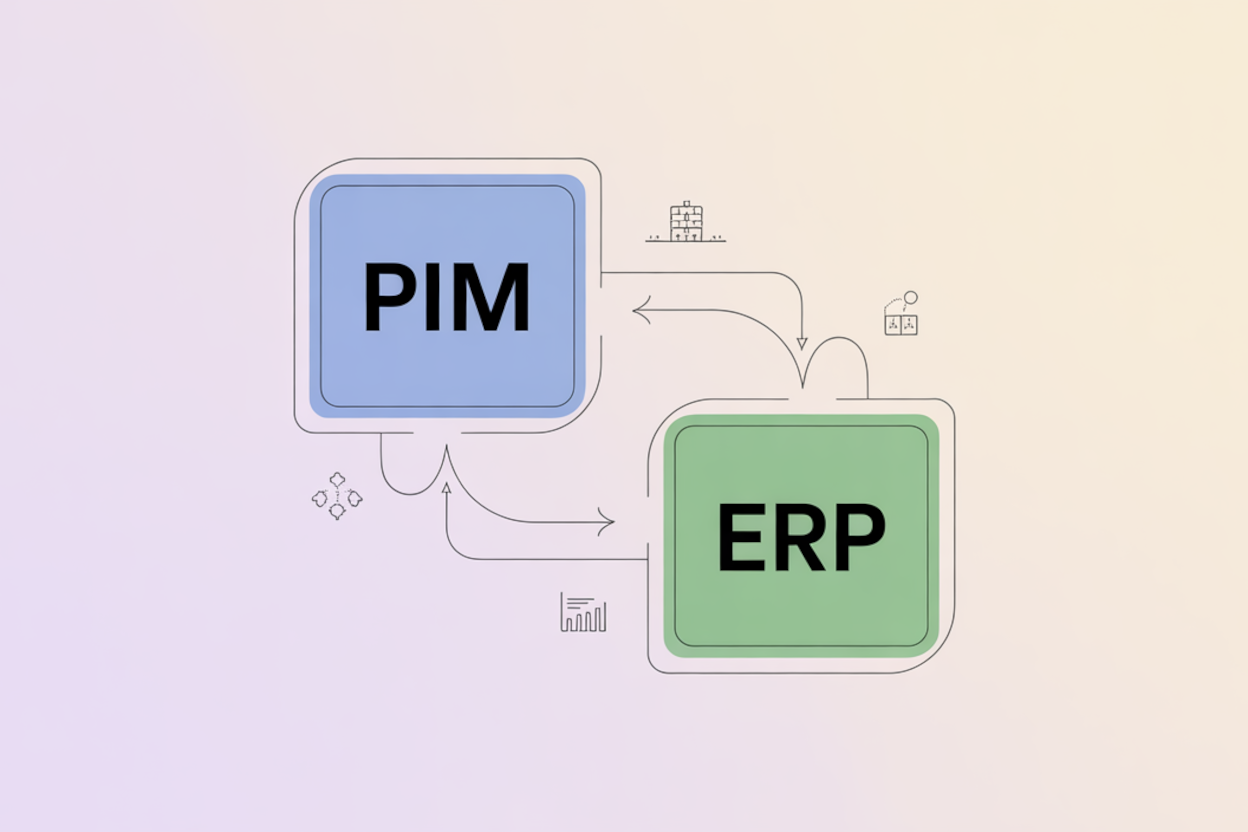
ERP manages quantitative operational data. PIM manages qualitative product content. Data flows from ERP to PIM: the ERP creates a product record with the SKU, price, and stock level, and that record passes to the PIM where marketing teams add descriptions, images, translations, and channel-specific attributes. The enriched content then publishes to websites, marketplaces, print catalogs, and distributor portals. That data synchronization between the two systems is what keeps operational accuracy and content quality aligned.
This separation also determines which teams need access to which system. Not everyone involved in creating product content should have ERP access, and in most organizations they should not. Marketing specialists, translators, SEO managers, and photographers work in the PIM. Finance, procurement, and warehouse teams work in the ERP. The systems serve different users with different needs, and the integration connects them without forcing inappropriate access.
One practical implication: it often makes sense to start the product lifecycle in the PIM. A new product can be developed, translated, and quality-checked in the PIM before it is released to the ERP for operational processing. This separates "ready for marketing" from "ready for sale" in a way that most ERPs cannot support natively.
AtroPIM connects to ERP systems via REST API, file exchange, or direct database queries, supporting both one-way and two-way synchronization. Feeds can run on a schedule, on demand, or triggered by events, and multiple feeds can be grouped into a single connector that executes as a sequence. That flexibility matters when ERP data structures differ significantly from what the PIM needs, which is almost always the case. The integration does not require third-party middleware unless the ERP lacks an accessible API entirely.
When ERP Alone Is Enough
A PIM is not the right investment for every organization. The case for ERP alone is strongest when the content problem does not actually exist yet.
If a product catalog is small, say under 100 SKUs, and the company sells through a single channel with minimal content requirements, spreadsheets or basic ERP fields may genuinely be enough. The same applies to wholesalers who pass responsibility for content enrichment to their retail partners and do not maintain customer-facing product pages themselves. Raw material suppliers with generic, undifferentiated products, sand, gravel, standard pipe dimensions, have little content to manage and may not see meaningful return on a PIM investment.
A spare parts supplier selling exclusively to one industrial distributor under a private-label agreement is a good example. The distributor controls all customer-facing product pages and handles enrichment on their end. The manufacturer only needs to keep SKUs, prices, stock levels, and lead times accurate. An ERP does all of that. Adding a PIM would introduce a system to manage content that the manufacturer is not responsible for producing.
Signs Both Systems Are Needed
The clearest indicator is when the ERP is working well operationally but product content is still managed ad hoc. Separate spreadsheets per channel, manual export and reformatting for each distributor, translation managed in email, images stored in personal folders with no version control: these are symptoms. The ERP is not causing these problems and cannot fix them.
Other indicators:
- Marketing teams cannot enrich product data without ERP access, so they work around the system rather than in it
- New product launches are delayed because content readiness and operational readiness are conflated in a single system
- A new sales channel requires a data format the ERP cannot produce without custom work
- International expansion requires localized content at scale
Our customers in industrial equipment and electrical components distribution typically reach this point when they expand beyond two or three channels or begin exporting to markets that require translated specifications and region-specific certifications. The ERP handles the operational side of that expansion without issue. The content side breaks.
This pattern is reflected in broader adoption data. According to IDC's SMB Survey, 53% of mid-market companies identify integrating on-premise ERP capabilities with cloud environments as a top implementation priority. Integration is no longer an advanced initiative. It is where the majority of growing manufacturers and distributors are already focused.
PIM and ERP Integration: What to Get Right
The technical side of PIM-ERP integration is manageable. The organizational side is where projects encounter real difficulty.
Data ownership needs to be defined before integration starts, and it needs to go deeper than system level. Saying "the ERP owns operational data and the PIM owns product content" is a starting point, but it is not enough. Each attribute needs a defined owner. Finance owns the list price. Procurement owns supplier codes and lead times. Quality control owns compliance certifications. Marketing owns long descriptions and channel copy. Supply chain owns stock levels and warehouse locations. The integration rules enforce that updates only flow from the authoritative system, and changes in the other system are either blocked or flagged. Without that field-level clarity, the same attribute gets edited in two places and the sync creates conflicts rather than resolving them.
Data quality in the ERP matters more than most teams expect. Incomplete or inconsistent records in the ERP propagate directly into the PIM and from there to every channel. Migrating messy data without cleaning it first is one of the most common integration mistakes. The cleanup conversation that should happen before the integration project begins often happens after, at a much higher cost. A Forrester Total Economic Impact study on ERP modernization found 101% ROI over three years for enterprises and a 16-month payback period for mid-market organizations, driven largely by consolidating fragmented systems and eliminating manual data processes.
Product returns are a tangible downstream consequence of this. When product dimensions, weights, or technical specifications are stored in the ERP but never surfaced correctly in product pages because there is no PIM integration, customers receive products that do not match what they ordered. For industrial manufacturers and distributors, that return costs more than the logistics reversal. It damages the distributor relationship and often triggers a quality review.
On the technical side, the main decision is synchronization frequency and method. Stock levels and prices typically need near real-time updates to keep sales channels accurate. Product attributes and descriptions can usually run on a scheduled batch, daily or hourly depending on how frequently they change. Most modern ERP and PIM systems support direct REST API integration, which is the preferred approach. File-based exchange (CSV, XML exports on a schedule) is a practical fallback for legacy ERPs that predate modern API standards. Many companies run a hybrid: API for pricing and inventory, file-based for bulk product onboarding. AtroPIM supports both modes through its configurable import and export feeds, and each feed can run on its own schedule, on demand, or triggered by an event. The system logs every run with a count of records created, updated, or failed, which matters during the first weeks after go-live when edge cases in the data are still surfacing.
For more detail on integration architecture and implementation steps, see our PIM-ERP integration guide.
PIM vs ERP: Key Differences at a Glance
| PIM | ERP | |
|---|---|---|
| Primary purpose | Product content management and distribution | Operational process planning and control |
| Core data | Descriptions, images, translations, channel attributes | SKUs, prices, inventory, procurement, financials |
| Main users | Marketing, e-commerce, catalog teams | Operations, finance, supply chain, logistics |
| Channel output | Websites, marketplaces, print catalogs, portals | Internal departments, CRM, PIM, BI systems |
| Attribute model | Contextual, category-specific | Typically global across all products |
| Integration role | Receives data from ERP, enriches it, publishes to channels | Feeds operational data to PIM and other systems |
Practical Decisions: Do You Need PIM, ERP, or Both?
If you have an ERP and are questioning whether you also need a PIM, the answer usually comes down to who owns product content quality and what tools they have. If the honest answer involves spreadsheets and manual exports, the gap is real. ERP vs PIM is often framed as a choice, but for most manufacturers and distributors with more than a handful of channels or SKUs, it is not. Both systems are needed, doing different jobs.
The reverse question, whether you can run a PIM without an ERP, is also worth addressing. Some companies, particularly smaller manufacturers starting out, use a PIM as their central product data system before or alongside a full ERP implementation. AtroPIM is built on the AtroCore platform, which is a Master Data Management system, meaning it governs data across multiple domains beyond product content: suppliers, customers, locations, and cross-domain relationships. That broader scope lets it carry more operational weight in early-stage implementations than a classic PIM would. For companies at scale with a functioning ERP, the ERP remains the operational system of record and the PIM works alongside it.
The integration between the two is not a one-time project. It is an ongoing data flow that needs governance, defined ownership, and periodic review as both systems evolve. The cost of deferring that governance compounds: every month of ambiguous data ownership adds inconsistencies that take progressively longer to untangle.