


Key Takeaways
A product data feed is a structured file containing your product information, used to share listings across sales and marketing channels.
It's made up of specific fields like product title, price, images, and availability. Feeds come in several formats: XML, CSV, JSON, and more, depending on where you're sending them. They're used for Google Shopping, Meta Ads, online marketplaces, affiliate networks, and B2B catalog sharing
Wholesalers and suppliers use product data feeds to share catalogs with retail partners efficiently. The right software makes generating and managing feeds much easier, especially as your catalog grows. Good product data feed optimization directly impacts how visible and competitive your listings are across every channel.
Getting your product data feed right takes a little upfront effort, but the payoff is significant. Whether you're trying to win more real estate on Google Shopping, streamline a wholesale partnership, or scale your catalog across dozens of channels, a clean and well-optimized feed is the foundation on which everything else is built.
What Is a Product Data Feed?
If you've ever tried listing your products on Google Shopping or setting up a Facebook ad catalog, you've probably run into the term "product data feed." It sounds more technical than it actually is, and once you understand how it works, it opens up a lot of doors for growing your online presence. This guide breaks it all down in plain English.
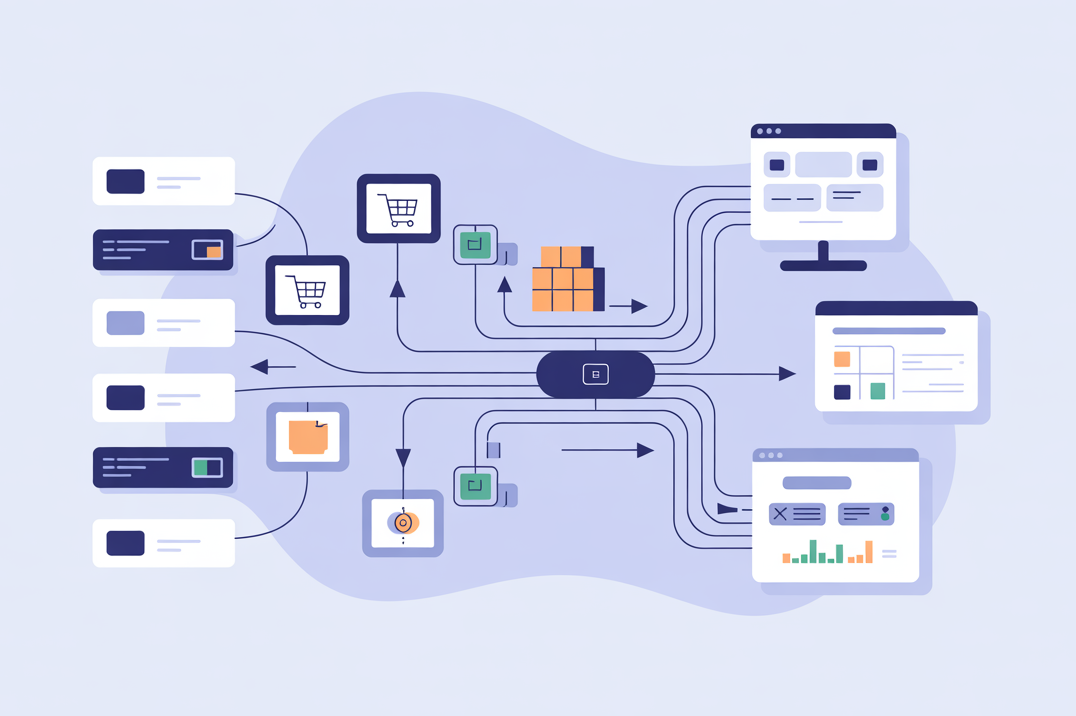
At its core, a product data feed is a structured file that contains information about everything you sell. Think of it like a very organized spreadsheet, one that other platforms can read and process automatically.
Instead of manually adding each product to Google Shopping, Amazon, or a retail partner's system, you send them a single file. That file tells them: here's my product, here's the price, here's the image, here's whether it's in stock. They take it from there.
It's essentially a bridge between your product catalog and everywhere else you want your products to appear: whether that's a search ad, a marketplace listing, or a wholesale partner's website.
Why Product Data Feeds Matter
You might be wondering: Can't I just add products manually to each platform? Technically, yes. But it gets painful fast, especially if you have more than a handful of products.
Here's why product data feeds are worth understanding from day one:
They save you an enormous amount of time.
Update your feed once, and the changes flow through to every connected channel automatically. No copy-pasting, no logging into five different platforms.
They reduce costly errors.
Manual data entry is where mistakes happen: wrong prices, outdated stock levels, mismatched product titles. A well-maintained feed keeps everything consistent.
They improve your ad and listing performance.
Platforms like Google Shopping use your feed data to decide when and where to show your products. Richer, more accurate data means better placement and more relevant traffic, which is exactly what product data feed optimization is about.
They make B2B partnerships much smoother.
If you're a wholesaler or supplier, product data feeds are how you share your catalog with retail partners. Instead of emailing spreadsheets back and forth, you give partners access to a live, structured feed. They always have your latest pricing, stock status, and product details, without anyone having to manually update anything.
Key Components of a Product Data Feed
Every product data feed is made up of individual fields, each describing a specific attribute of your product. The exact fields required will vary depending on the platform, but these are the most common ones you'll encounter:
- Product ID / SKU — a unique identifier for each product in your catalog
- Title — the product name, which plays a major role in search matching and click-through rates
- Description — a detailed explanation of what the product is, its features, and its uses
- Price — must be accurate and match what's on your website or storefront
- Availability — whether the product is in stock, out of stock, or available for pre-order
- Image URL — a direct link to a high-quality product image
- Product URL — the link to the product page on your website
- Category — how you classify the product, often mapped to a platform's own taxonomy
- Brand — the manufacturer or brand name
- GTIN / MPN / Barcode — global trade identifiers used to match your product to known items in a platform's database
The quality of these fields is what separates a basic feed from an optimized one. A title like "Nike Air Max 270 Men's Sneaker Blue Size 42" will outperform "Sneakers" every single time, both for search relevance and overall product data feed optimization.
Common Product Data Feed Formats
Product data feeds can be structured in a few different ways depending on the platform or partner you're working with:
CSV (Comma-Separated Values) is the simplest format, essentially a spreadsheet saved as plain text. Easy to create in Excel or Google Sheets and widely accepted. A good starting point for beginners.
XML (Extensible Markup Language) is the most widely used format for product feeds, especially for Google Shopping and affiliate networks. It's more flexible than CSV and handles complex data structures well, though it's less readable to the human eye.
TSV (Tab-Separated Values) works just like CSV but uses tabs instead of commas. Some platforms prefer it because it handles product descriptions containing commas more cleanly.
JSON (JavaScript Object Notation) is the go-to format when working with APIs. It's lightweight and developer-friendly, commonly used for dynamic, real-time feed integrations.
In practice, the format you use will often be dictated by the platform you're submitting to. Google Merchant Center accepts both XML and CSV, while a retail partner might request something entirely different.
Where Are Product Data Feeds Used?
Product data feeds power a surprising number of channels. Here's a look at the most common ones:
Google Shopping is probably the most well-known use case. When you see product listings with images, prices, and store names at the top of a Google search, those all come from feeds submitted through Google Merchant Center. The quality of your titles, descriptions, and attributes directly affects where and how often your products appear.
Meta Ads (Facebook & Instagram) use product catalogs, which are essentially product feeds, to power dynamic ads that show users the exact products they browsed on your site.
Online Marketplaces like Amazon, eBay, and Etsy accept product feeds to streamline bulk listing uploads and keep inventory data in sync.
Affiliate Networks such as Commission Junction and ShareASale use product feeds to give publishers accurate, up-to-date product links and pricing they can promote.
Comparison Shopping Engines like PriceGrabber aggregate product data from multiple retailers. A well-optimized feed means your products show up competitively alongside similar items from other stores.
Retargeting Platforms use your feed to serve personalized ads to people who've already visited your site, showing them the specific products they viewed.
B2B Catalog Sharing is an often-overlooked but hugely practical use case. Wholesalers and manufacturers use product data feeds to distribute their catalogs to retail partners. Instead of sending a static PDF or an outdated spreadsheet, a supplier shares a live feed that retailers can import directly into their own systems, keeping pricing, descriptions, and stock levels accurate across the entire supply chain.
Software That Can Generate Product Data Feeds
The right tool depends on how large your catalog is and how many channels you're feeding into.
Spreadsheet Tools (Microsoft Excel, Google Sheets)
For small catalogs, say, under 100 products, a spreadsheet is often all you need. Structure your data in columns matching the required feed fields, export as CSV, and upload manually. It's time-consuming at scale, but it's accessible and free. Many beginners start here.
Ecommerce Platforms (Shopify, WooCommerce, BigCommerce)
Most major ecommerce platforms have built-in feed export features or plugins that do the heavy lifting. Shopify has native Google and Meta integrations that automatically sync your catalog. WooCommerce has several well-regarded plugins for generating feeds in various formats. If you're already on one of these platforms, this is usually the most straightforward path.
PIM Software (AtroPIM, Plytix, Salsify)
PIM stands for Product Information Management. These tools are built specifically for managing large, complex catalogs. Think hundreds or thousands of SKUs with detailed specifications, multiple images, and localizations for different markets. They centralize all your product data and let you export clean, consistent feeds to any channel. If keeping product data accurate across your business has become a real challenge, a PIM is worth serious consideration.
Dedicated Feed Management Tools (DataFeedWatch, Feedonomics, GoDataFeed)
These platforms sit between your product catalog and your distribution channels. They pull data from your store, let you map and transform fields to match each platform's requirements, and automate feed submission and updates. They're particularly powerful for product data feed optimization. Most include rules engines that let you automatically rewrite titles, fill in missing attributes, or exclude underperforming products. If you're running feeds across multiple channels simultaneously, these tools pay for themselves quickly.
ERP Systems (SAP, Microsoft Dynamics)
For larger enterprises, product data often lives inside an ERP system alongside inventory, pricing, and order management. Many modern ERPs can export structured product data that feeds into downstream channels, either directly or through a middleware integration.
Common Mistakes to Avoid
Even experienced sellers run into these. Being aware of them early will save you a lot of headaches.
Leaving required fields empty.
Every platform has mandatory fields, and missing even one can get your products disapproved or your feed rejected. Always check the spec sheet for the channel you're submitting to.
Using poor-quality images.
Blurry or incorrectly sized images are one of the most common reasons products get disapproved on Google Shopping and Meta. Use high-resolution images on a white or neutral background where required.
Letting prices and stock levels go stale.
If your feed shows a product as in stock but your website says otherwise, you'll frustrate customers and risk account penalties. Schedule feed updates frequently, ideally daily, or in real time if your inventory moves quickly.
Ignoring platform-specific requirements.
Google has different requirements than Amazon, which has different requirements than a wholesale partner. A one-size-fits-all feed rarely works well across every destination.
Sending outdated catalog data to B2B partners.
For wholesalers and suppliers, an old file is worse than sending nothing at all. It leads to listing errors, wrong pricing, and damaged trust. Use a live, regularly updated feed so partners always have accurate information.
Writing weak product titles and descriptions.
This is the single biggest missed opportunity in product data feed optimization. Vague titles don't match search queries, and thin descriptions don't give platforms enough context to rank your products well. Put real effort into your feed copy, since it directly affects your visibility and sales.