


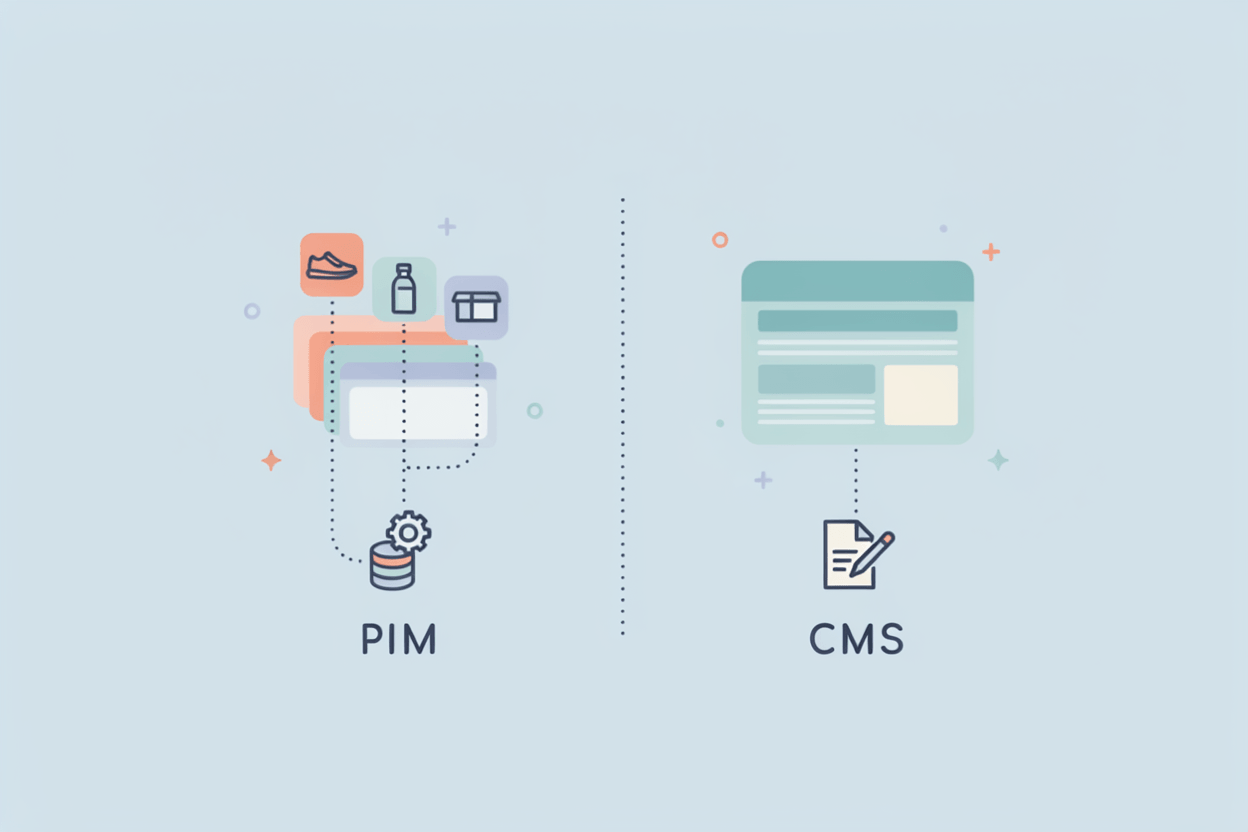
PIM and CMS are routinely conflated, and the overlap explains why. Both manage content, and both supply the website that customers see. The distinction is functional, not cosmetic. Each system addresses a separate problem, and assigning one the responsibilities of the other introduces errors that surface downstream as incorrect pricing and avoidable returns.
This article sets out what each system does, where their responsibilities diverge, how they integrate, and which solutions suit different types of business.
What A CMS Does
A content management system operates your website. It manages pages, blog posts, landing pages, navigation, and layout, allowing editors and marketers to publish and update content without writing code.
The CMS functions as the storefront. It governs how content appears, where elements sit on the page, and what the visitor reads. Presentation is its core strength. It is not designed to manage thousands of product records, each carrying dozens of attributes.
CMS platforms come in two broad shapes. A traditional CMS bundles content, templates, and website delivery together. A headless CMS separates content from the frontend and serves it through an API, so the same content can feed a website, a mobile app, or a screen in a store. Around 59% of all CMS-powered sites run on WordPress, which tells you how much of the web is a content problem first and a product problem second.
What A PIM Does
A product information management system runs your product data. It collects specs, descriptions, images, prices, translations, and technical documents, then stores them in one place. That place becomes the single source of truth every channel pulls from.
Think of the PIM as the warehouse behind the storefront. Data comes in from suppliers, ERP systems, spreadsheets, and manual entry. Your team enriches it, checks it for completeness, and pushes clean records out to your webshop, marketplaces, print catalogs, and distributor portals.
A PIM cares about the what. What is this product, what are its attributes, is the data complete and consistent. A CMS cares about the how. How does this page look, how does the visitor move through it.
A PIM owns the truth about your products. A CMS owns how that truth looks on screen.
PIM vs CMS: The Core Difference
Here is the short version.
| CMS | PIM | |
|---|---|---|
| Primary job | Publish and present web content | Centralize and enrich product data |
| Main users | Editors, marketers, web teams | Product managers, marketing, data teams |
| Core object | Pages and articles | Products and attributes |
| Scales with | Content volume | Catalog size and channel count |
| Output | A website | Clean data for many channels |
A CMS can store a handful of products and show them on a page. That works until the catalog grows. Add more SKUs, more attributes, more languages, and more sales channels, and a CMS starts to strain. It was never meant to govern product data at that scale. A PIM was.
How PIM And CMS Work Together
Most businesses don't choose between the two. They connect them.
The PIM holds the authoritative product data. The CMS pulls that data through an API or a connector and presents it on the website. Update a spec once in the PIM, and every channel that reads from it shows the new value. No copy-paste, no version that only the marketing drive knows about.
Customers frequently approach us with a familiar situation where the product data is scattered across a dozen spreadsheets. The ERP holds pricing, suppliers send specifications as PDFs, and marketing maintains its own descriptions in a shared folder. The website displays whatever was last entered manually. When one manufacturer we worked with consolidated this data into a PIM and connected the CMS to read from it, the duplicate entry ceased, and the product pages finally aligned with both the catalog and the marketplace listings.
The payoff is consistency, and consistency sells. Salsify found that 54% of shoppers have abandoned a purchase because product content wasn't consistent from one channel to the next. Poor data also comes back to you literally: roughly 23% of product returns trace back to inaccurate product information.
Signs you have outgrown a CMS-only setup:
- You paste the same product spec into more than one place.
- Prices or attributes on the site disagree with the ERP or the marketplace.
- Adding a new sales channel means re-entering the whole catalog by hand.
- Nobody can say for certain which version of a product description is current.
If two or more of those sound familiar, the problem is product data, and a CMS alone won't fix it.
CMS Solutions And Who They Fit
There are hundreds of content management systems. These three cover most of the range from small business to large enterprise.
WordPress
The default choice for content-driven sites. WordPress powers around 41% of all websites, backed by a huge plugin ecosystem and a low cost of entry. Add WooCommerce, and it sells products too.
Best fit: small and mid-size businesses, blogs, marketing sites, and simpler online stores that want flexibility without a big budget. Large catalogs will need a PIM behind it.
Adobe Experience Manager
An enterprise CMS inside the Adobe Experience Cloud. It handles complex multi-site and multi-region setups and integrates tightly with the rest of the Adobe stack. That power comes with cost and a need for specialist teams.
Best fit: large enterprises with heavy content operations, several regions, and the budget and staff to run it.
Contentful
A headless, API-first CMS. Content lives independently of any frontend and gets delivered wherever you need it: web, app, or connected device. It expects a development team to build the presentation layer.
Best fit: teams building custom or omnichannel frontends who want structured content delivered by API and have the developers to wire it up.
PIM And CMS Tools And Who They Fit
Now the data side. A few PIM systems, and who each one suits.
AtroPIM
AtroPIM is an open-source PIM built on the AtroCore platform, released under GPLv3 and free to use. Its defining trait is a configurable data model. You create entities, add custom fields, and define relationships directly from the admin area, no coding required. The architecture is API-first, so it connects to ERP systems, e-commerce platforms, and marketplaces through a REST API.
AtroPIM adapts to your data model, instead of forcing your products into a fixed one.
Best fit: manufacturers, wholesalers, and distributors whose product data has outgrown spreadsheets and whose catalog structure doesn't fit an off-the-shelf mold. It suits teams that want to self-host or run on-premise, keep full control of the source code, and shape the system around their own data rather than the other way round.
Akeneo
A well-known PIM with a polished interface. Akeneo still offers a free, open-source Community Edition, though the company has shifted its focus to SaaS. New development now centers on its cloud products, with Growth aimed at smaller firms and the Serenity SaaS platform at larger ones.
Best fit: brands that want a managed SaaS PIM with strong usability and are comfortable following a cloud-first roadmap. Teams that need long-term self-hosted development should read the fine print on the Community Edition first.
Pimcore
An all-in-one platform that bundles PIM, MDM, DAM, and CMS in a single PHP-based system. That breadth is the appeal and the catch. You can run product data and website content from one place, but you need developer resources to build and maintain it, and recent licensing changes have moved it away from pure open source.
Best fit: organizations that want one platform for data and content, and have the technical team to invest in it.
Salsify
A cloud PXM built around the digital shelf. Its strength is syndication: pushing product content out to retailers, marketplaces, and other channels, and keeping it optimized there.
Best fit: enterprise brands focused on selling through many retail and marketplace channels who care most about distribution and the digital shelf.
How To Choose
Start with the problem you actually have.
If your pain is publishing web content, laying out pages, and running a marketing site, you need a CMS. If your pain is scattered, inconsistent, hard-to-update product data across channels, you need a PIM. If both hurt, and for most growing catalogs both eventually do, you need the two connected, with the PIM as the source of truth and the CMS as the storefront reading from it.
Match the tools to your size and your team. A small shop on WordPress with a lean, configurable PIM like AtroPIM behind it can cover a lot of ground without enterprise overhead. A large brand across many regions and marketplaces will lean toward heavier CMS and PIM platforms. The wrong move is asking one system to do the other's job and wondering later why the product pages keep drifting out of sync.