


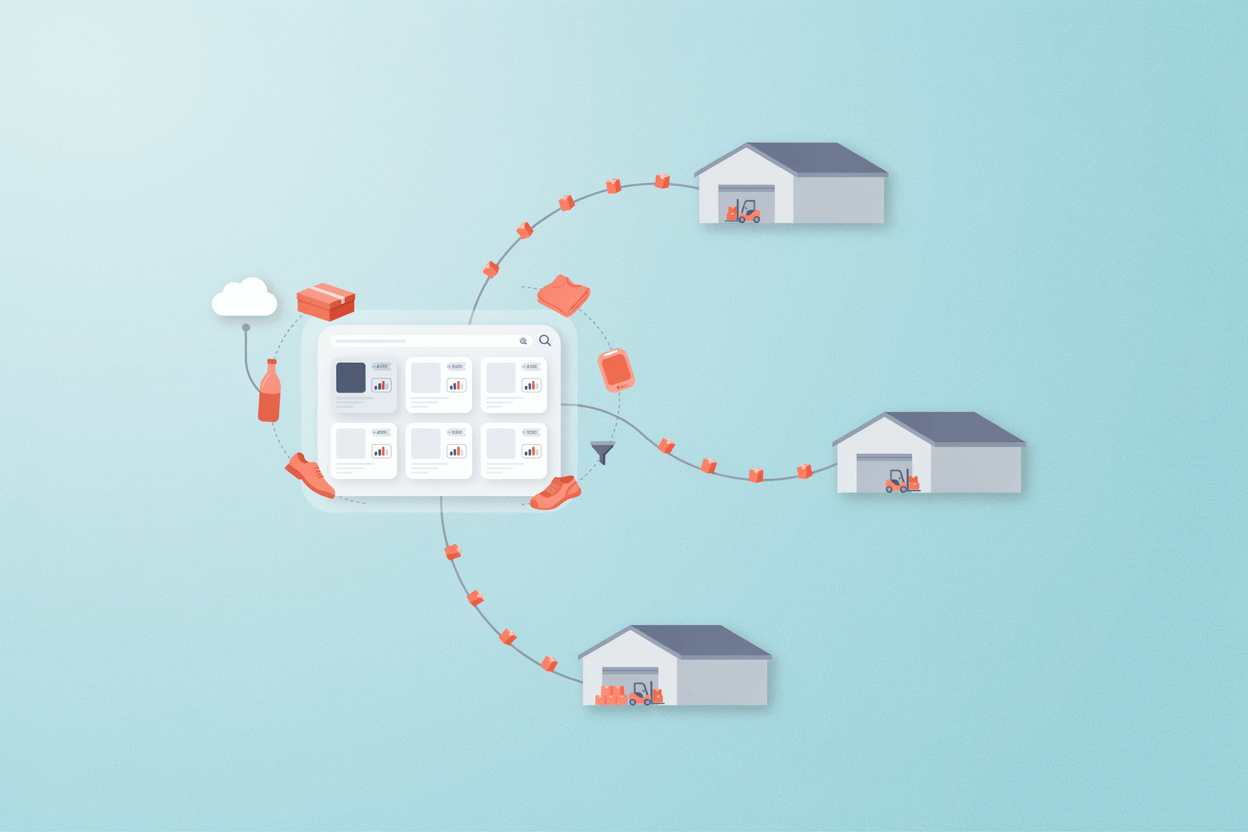
Distributors sit between manufacturers and buyers, which sounds simple until you look at what that actually involves. You're managing product data from dozens or hundreds of suppliers, each with their own format, their own attribute naming, their own idea of what a product description should look like. You're publishing that data to a website, a catalog, several marketplaces, and maybe a few channel partners, all at the same time.
Most distributors start with spreadsheets. Some add an ERP. Eventually, the volume and the number of channels grow past what those tools can handle. That's when a PIM for distributors becomes a practical necessity rather than a theoretical upgrade.
What PIM Does for Distributors
A PIM system is a single place to store, enrich, and distribute product data. It replaces the sprawl of spreadsheets, shared drives, and email threads where product information tends to live.
For distributors, it handles several problems at once.
Supplier data ingestion.
Product data comes in from manufacturers in inconsistent formats, often missing fields your channels require. A PIM gives you a place to normalize that data, map supplier attributes to your own taxonomy, and fill gaps before the data goes anywhere downstream.
Multi-channel publishing.
Each sales channel has different requirements. Your webshop needs SEO-friendly descriptions, a marketplace wants specific attribute sets, and a printed catalog needs clean formatted output. A PIM for distributors lets you manage one master record and push channel-specific outputs from it without duplicating work.
Data quality control.
Incomplete records, conflicting specs, missing images. These are chronic problems when you're handling thousands of SKUs from multiple sources. A PIM gives you visibility into completeness and consistency so you can catch errors before they reach buyers.
Product enrichment.
Manufacturer data is usually functional but thin. PIM systems let teams add marketing copy, better images, technical documents, cross-sell relationships, and localized content on top of the base supplier data.
Why ERP Is Not Enough
This comes up frequently in projects we implement. A distributor already has an ERP and assumes it handles product data. It does, partially. ERP systems manage transactions, inventory, and pricing well. They store basic product attributes, but they're not built for content enrichment, channel-specific formatting, or multi-language management.
The result is usually a hybrid mess: product basics in the ERP, descriptions in a spreadsheet, images in a shared drive, and someone manually copying data between systems before every catalog update or product launch.
A PIM for distributors connects to the ERP rather than replacing it. The ERP stays the system of record for pricing and stock. The PIM takes over everything related to how products are described, categorized, and presented.
Where Distributors Lose Time Without PIM
The cost isn't always visible on a single transaction. It builds up.
A product line update from a supplier arrives. Someone has to reformat it, check it against existing records, update descriptions, resize images, and push changes to three different channels. For ten products, that's manageable. For three hundred, it breaks.
New marketplace onboarding takes weeks because the attribute mapping has to be done manually. A product recall requires a correction across every channel, and nobody's sure all copies have been updated.
In projects we implemented for electrical components and industrial equipment distributors, the recurring bottleneck was always time-to-publish. Products were sitting in an import queue for days or weeks while teams worked through normalization. A PIM with automated import workflows and completeness scoring cut that publishing cycle substantially.
Key Features to Look For
Not every PIM is suited to distribution. Some are built primarily for manufacturers or retailers. When evaluating a PIM for distributors, focus on these areas.
- Supplier data import and mapping.
You need flexible import tools that can handle diverse supplier formats (Excel, CSV, XML, EDI feeds) and let you map incoming attributes to your internal data model without manual reformatting each time. - Attribute management and classification.
Distributor catalogs are often deep and technical. Look for a system that supports complex attribute sets, units of measurement, and hierarchical category structures with inheritance. - Channel-specific export templates.
Webshop, print catalog, marketplaces, and partner feeds all need different output formats. The PIM should let you define those templates and automate publishing without manual intervention. - Workflow and completeness tracking.
You need to know which records are incomplete, who's responsible for enriching them, and where they are in the approval process. This is especially important when you have a team working across a large SKU volume.
API coverage matters too. A distributor product catalog that can't connect cleanly to an ERP, an e-commerce platform, and downstream channel feeds will create integration debt from day one. API-first architecture makes those connections more stable than connector plugins built on top of closed systems. And the system needs to scale: 10,000 SKUs today can become 200,000 within a few years as you add suppliers or expand into new B2B product data categories. Rearchitecting mid-growth is expensive and disruptive.
How Distributor PIM Differs from Manufacturer and Retailer PIM
This distinction matters when you're evaluating systems, because many PIM vendors are built around a different primary use case.
A manufacturer PIM is designed around product creation. The manufacturer owns the data at the source and defines the master record. Their PIM needs to support product development workflows, technical documentation, and structured output to downstream partners. Supplier data ingestion is irrelevant because the manufacturer is the supplier. The data model is relatively stable because the product range is self-defined.
A distributor's situation is the opposite. You receive product data from outside, in formats you don't control, and have to normalize it into a coherent internal structure before it can go anywhere useful. The main challenge is not creating product data but cleaning, mapping, and enriching data that arrives inconsistently from many sources. A PIM built primarily for manufacturers will often have limited import tooling and weak multi-supplier mapping, because those are not problems manufacturers face.
Retailer PIM systems share some characteristics with distributor PIM but are typically optimized for consumer product categories, visual merchandising, and B2C channel outputs. Retailers tend to carry a curated range of finished consumer goods with relatively uniform data structures. A PIM for distributors handling industrial components, electrical equipment, or building materials is working with deep technical specifications, complex classification hierarchies, safety documentation, and often regulatory data. The attribute model is far more demanding, and the buyer is a procurement manager or engineer, not a consumer.
The core difference is data flow direction. Manufacturers create and push product data outward. Retailers curate and display it for consumers. Distributors receive messy data from many sources, normalize it, enrich it, and distribute it across multiple channels and partner networks simultaneously.
Some PIM vendors serve all three segments with the same product. That can work, but check carefully whether the import and mapping layer is actually flexible, or whether it assumes you own the source data. For a PIM for distributors, the ingestion side of the system is where most of the real work happens.
Open Source vs. Proprietary
Proprietary SaaS PIM systems charge per user, per SKU, or both. For distributors with large catalogs and multiple users, licensing costs add up fast. An open-source PIM gives you full code ownership, avoids vendor lock-in, and keeps total cost of ownership lower over time.
Open-source doesn't mean unsupported. A well-maintained open-source PIM with a commercial support model gives you the flexibility of self-hosting and the reliability of a vendor relationship, without the hard dependency on their pricing decisions.
Total PIM cost of ownership is worth modelling carefully. A proprietary wholesale PIM might look affordable in year one but becomes expensive as your SKU volume and user count grow, since both typically affect pricing tiers. An open-source system with a fixed support contract gives you a more predictable cost curve. You also retain the ability to extend the system: adding custom import connectors, building integrations, or modifying workflows without waiting for a vendor roadmap or paying for custom development at SaaS rates.
AtroPIM is built on this model. It's released under GPLv3, deployable on-premise or in the cloud, and built specifically for the kind of complex, attribute-heavy catalogs distributors manage. The import and mapping layer handles diverse supplier formats out of the box: Excel, CSV, XML, and custom EDI structures. That addresses the ingestion problem that most distributors hit first. The modular architecture means you can add DAM, print catalog generation, or e-commerce integrations as your needs grow, without replacing the core system.
Why PIM Implementations Fail (and How to Avoid It)
Buying a PIM is not the end of the project. The system needs to be configured to match your data model, integrated with existing systems, and adopted by the team doing the enrichment work. Poor product data has a measurable cost well before a PIM enters the picture: Gartner estimated that bad data costs the average organization $12.9 million per year across industries.
Our customers often come to us after a failed PIM implementation at another vendor. The most common reason is that the system was configured for an ideal catalog, not the messy real-world data they actually had. Supplier data had inconsistent units, missing required fields, and attribute names that didn't match the PIM's taxonomy. Without a solid import and mapping layer, teams ended up doing the same manual work inside the PIM they were doing in spreadsheets before.
A realistic PIM implementation starts with a data audit: what you have, where it lives, how consistent it is, and how far it is from what your channels require. Then you define the data model, build the import workflows, and configure channel outputs. Only after that does enrichment work make sense to start.
For distributors in categories like safety equipment, building materials, or chemical distribution, product data often carries regulatory and compliance requirements. Technical specifications have to be accurate and complete. A PIM that supports document attachments, structured safety data fields, and audit trails makes compliance management noticeably easier to maintain across large SKU volumes.
Choosing the Right System
The PIM market has no shortage of vendors. A few criteria cut through the noise.
Start with supplier import complexity. If onboarding a new supplier requires custom development every time, the system is not built for distribution. Next, check the channel output layer: can you configure the templates your actual channels require, or does that need their professional services team? Then look at total cost of ownership over three years, licensing, integration work, and support together rather than the headline subscription price alone. Finally, confirm the deployment model fits your IT environment, whether that's cloud, on-premise, or hybrid.
The right PIM for a distributor is not the one with the most features. It's the one that fits your data structure, your team's workflow, and your integration environment without turning into a permanent IT project.
Distributors with hundreds of suppliers, technical product categories, and multiple active channels benefit most from a configurable, open-source PIM for distributors with strong import tooling and flexible export templates.
AtroPIM is purpose-built for this use case. It handles complex attribute models, automates supplier data imports across multiple formats, generates print-ready catalogs natively, and integrates with ERP and e-commerce platforms via a full REST API. For distributors who have outgrown spreadsheets and want a system built around how distribution data actually flows- inward from many suppliers, outward across many channels- it is worth a closer look.