


Key Takeaways
- PIM workflow management turns product data handling from a series of manual handoffs into a structured, automated process with defined roles, states, and transitions.
- Without it, teams work without shared visibility, approval chains stall, and errors reach sales channels before anyone catches them.
- A well-configured PIM workflow covers the full product data lifecycle: intake, enrichment, review, approval, publication, and ongoing maintenance.
- Effective workflow management is inseparable from data governance: it defines ownership, enforces quality gates, and produces a complete audit trail.
- The right system lets you model workflows around your actual processes, not the other way around.
When a manufacturer adds a new product to its catalog, getting it live requires input from engineering, marketing, legal, and the asset team, each working to their own timeline and their own definition of "done." None of those steps happens in sequence by default.
Without a structured process, that coordination happens through emails, shared spreadsheets, Slack threads, and someone tracking progress manually. It works, after a fashion, until the product catalog grows large enough that the manual overhead becomes the bottleneck.
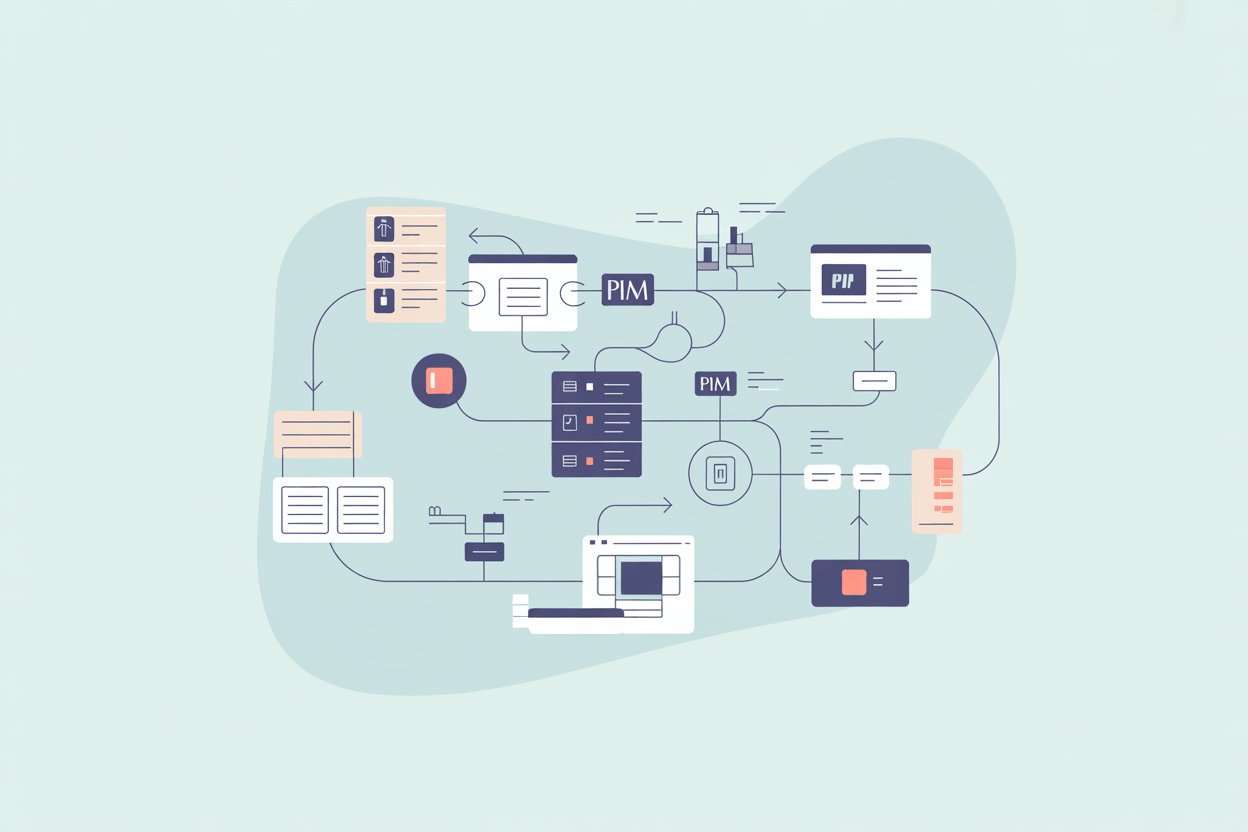
PIM workflow management is the system that replaces those manual handoffs with defined states, automated triggers, assigned responsibilities, and visibility across the entire product data lifecycle.
What a PIM Workflow Actually Is
A workflow, in the context of a PIM system, is a defined sequence of states that a product record moves through, with rules controlling when and how it transitions from one state to the next.
The simplest version looks like this: a product is created (Draft), content is added (In Enrichment), reviewed (In Review), approved (Approved), and published (Live). Each state has entry conditions, assigned owners, and exit criteria. The system handles the routing automatically.
In practice, workflows are rarely that linear. A product might move back from Review to Enrichment if specifications are incomplete. It might need parallel approval paths where marketing and legal review occur simultaneously. For a manufacturer selling through multiple channels, the same product record might be approved for the webshop while still awaiting regulatory sign-off for export markets.
What separates workflow management from a simple task list is that the system enforces the process. A record cannot advance to the next state unless the current state's requirements are met. That enforcement is what makes workflows useful, and it is also what connects workflow management to data governance: the same rules that route a record through states also determine what constitutes a complete, publishable product.
Why Teams Break Without It
Our customers in industrial equipment manufacturing often describe the same situation before implementing a structured PIM workflow. Engineers enter technical data in the ERP. Marketing writes copy based on what they receive informally, sometimes from outdated documents. Product images sit in a shared drive that not everyone can access. Before a product launch, someone manually compiles data from multiple sources, sends review rounds by email, and waits for responses that may or may not arrive before the deadline.
The core problem is not that the work is difficult. It is that ownership of each piece of the product record is scattered across systems and people with no shared visibility. There is no audit trail, no version history, no record of who changed what or when. When an error surfaces on a sales channel, reconstructing what happened takes hours.
The Stages of a PIM Workflow
Most product records move through five to seven stages, though the names and specifics vary by company.
Intake is where raw data enters the system. For manufacturers, this typically means importing technical specifications from an ERP or PLM system, or from supplier data sheets. The record exists but is incomplete. The workflow flags missing mandatory fields immediately, and validation rules begin enforcing the data model before enrichment even starts.
Enrichment is the longest stage. Content writers add descriptions, marketing copy, and localized variants. Technical teams complete attribute values. Asset managers attach images, diagrams, and documents. In complex catalogs, such as electrical components or industrial safety equipment, enrichment can involve dozens of attributes and multiple teams working on different sections of the same record. A completeness score, calculated in real time, shows how far each record is from meeting channel readiness thresholds.
Once enrichment is done, the record enters Review, passing through one or more quality gates before approval. Depending on the organization, a data steward verifies taxonomy, legal checks, compliance claims, and channel managers confirm that output requirements for specific platforms are met. The workflow routes the record to each reviewer in the defined order, or in parallel where that is more efficient. Records that fail the gate return to enrichment with reviewer comments attached.
Approval closes the review cycle. The record is complete, validated, and cleared to publish. This stage is gated by role-based permissions, meaning only specific users can execute the final transition to approved status. In regulated product categories, such as safety equipment or automotive components, this step may involve multiple approval chains running in sequence.
Publication and maintenance are often underestimated. Publication is where the system distributes the approved record to its designated channels: webshop, marketplace, print catalog, partner portal, or any other output. In systems with good product syndication capabilities, this happens automatically once approval is granted and channel-specific attribute mappings are applied. Maintenance then begins immediately: regulatory updates, price changes, image refreshes, and seasonal content variations all trigger new workflow cycles on already-published records. A product published today may need five or six such cycles over its commercial lifetime, and each one requires the same governance controls as the initial launch.
Data Governance and the Audit Trail
Workflow management and data governance are not separate concerns. They are the same concern looked at from different angles.
Data governance defines who owns which data, what standards it must meet, and what process it must pass through before it is trusted. PIM workflow management is the operational layer that enforces those standards in practice: validating fields, routing records to the right owners, blocking premature publication, and recording every action in a timestamped audit trail.
The audit trail matters more than it is usually given credit for. When a product is recalled, when a compliance claim is challenged, or when a channel reports inconsistent data, the first question is always: what changed, when, and who approved it. A PIM with proper workflow management answers that question immediately. A PIM without it leaves teams reconstructing history from email threads.
Data stewardship, the ongoing responsibility for maintaining data quality across the catalog, is also easier to operationalize when workflows are in place. Data stewards can monitor completeness scores across product families, act on automated alerts when records fall below quality thresholds, and track SLA compliance for enrichment and approval tasks without chasing teams manually. That frees stewardship time for work that cannot be automated: resolving ambiguous attribute values, setting standards for new product categories, and deciding when a published record has drifted far enough from current specs to warrant a full re-enrichment cycle.
Role Assignment and Permissions
A workflow without role assignment is just a checklist. The key mechanism that makes PIM workflows functional is the binding of each state transition to specific roles or users.
When a product record enters Enrichment, the system automatically assigns it to the responsible content writer or team. When enrichment is complete and the record moves to Review, the assigned reviewer receives a notification without anyone having to send an email. If the reviewer sends it back with comments, the originating team is notified with the specific feedback attached to the record.
This role-based routing eliminates the coordination overhead that consumes time in manual processes. It also creates accountability. Every action is logged against a user, every state transition has a timestamp, and every comment or change is preserved in the record's history as part of the data lineage.
For manufacturers working with external partners, such as translation agencies or certification bodies, role assignment often extends beyond internal teams. Configurable portals let external contributors access only the records they need to work on, with permissions scoped to specific fields or sections.
Automation Within Workflows
Manual approval processes still require human decisions at key checkpoints, but a large portion of the surrounding activity can be automated.
Completeness checks run automatically when a record is submitted for review. If required fields are empty or attribute values fail validation rules, the system blocks the transition and flags the gaps rather than sending an incomplete record to the reviewer. This is a quality gate: the record cannot progress until it meets defined entry criteria for the next stage.
Translation workflows trigger automatically when an approved record is ready for localization. The system identifies which language variants are missing, packages the relevant content, routes it to a connected translation service, and writes the results back to the record without manual intervention.
Notifications and reminders fire when records have been idle in a state longer than a defined threshold, making SLA breaches visible before they become launch blockers.
In more advanced implementations, automated quality scoring evaluates attribute completeness across the catalog and flags records that fall below channel readiness thresholds before they enter the review queue. This reduces rework late in the approval chain, where corrections are most expensive.
The distinction worth making is between automation that handles logistics and automation that makes decisions. PIM workflows automate routing, notifications, validation, and product syndication. Approval decisions, content quality judgments, and compliance sign-offs remain with the people responsible for them.
Workflow Flexibility and Configurability
A common mistake in PIM implementations is accepting the vendor's default workflow states and treating them as fixed. For most manufacturers, the default states cover perhaps 60% of actual requirements. The remaining 40% reflects industry-specific stages, company-specific approval chains, or channel-specific publication rules that no generic template anticipates.
A manufacturer of electrical components might need a compliance validation state that routes new product records to a separate quality assurance process before any content enrichment starts. A company selling through retail partners might need a retailer-specific review state where partner content requirements are checked against each channel's data model before product syndication.
Workflows modeled using BPMN (Business Process Model and Notation) provide a standardized way to define states and transition logic visually, making complex processes easier to document, audit, and hand off between teams. Not all PIM systems support BPMN natively, but any system worth configuring should let you define conditional transitions, parallel approval paths, and branching logic without requiring custom development.
The practical question when evaluating a PIM is not whether it has workflows, but whether those workflows can be configured to match how the company actually operates.
Common Workflow Types
Most manufacturers operate at least three distinct workflow types simultaneously, each covering a different phase of the product data lifecycle.
A new product introduction (NPI) workflow covers the full path from raw data to first publication. It tends to be the most complex, with the most states and the most stakeholders involved. It also has the highest time-to-market sensitivity: every day a completed product sits waiting in an approval chain is a day it is not generating revenue.
A product update workflow handles changes to existing published records. These are typically lighter-weight, often bypassing the full enrichment stage and going directly to review and approval. For high-volume update scenarios, the workflow can be configured to auto-approve changes that fall below a defined significance threshold, routing only material changes through human review.
A product discontinuation workflow manages the deactivation or removal of records from active channels. This matters more than teams often realize. A discontinued product left live on sales channels generates customer inquiries and failed orders. A structured offboarding process with its own approval step ensures clean removal and keeps the single source of truth aligned with what is actually available.
How AtroPIM Handles Workflow Management
AtroPIM is built on the AtroCore platform, which provides workflow management as a core capability rather than a bolt-on module. This means workflow configuration is native to the data model: states and transitions apply to any entity in the system, including products, digital assets, categories, and any custom entities a company adds.
Workflow configuration in AtroPIM does not require programming. States, transitions, conditions, and role assignments are all managed through the admin interface. Custom workflow-related fields, such as checkboxes, status lists, and multi-selects, can be added to any record to model process-specific requirements that fall outside standard state transitions. This makes it practical to build data stewardship processes directly into the product record without creating parallel systems.
The system supports configurable Action Buttons, which let administrators create one-click triggers for common workflow actions. A content writer might have a "Submit for Review" button on the product detail page that fires a state transition, sends a notification to the reviewer, and logs the action in the audit trail, all in a single click.
Advanced workflow automation, including event-based triggers and conditional transition logic for complex branching workflows, is available through the Advanced Pack module. This covers scenarios such as automatically routing a product to a specific team based on its category, triggering a quality check when a completeness score drops below a set threshold, or initiating a translation workflow as soon as a record reaches approved status.
AtroPIM's open-source foundation means workflow logic is fully inspectable and extensible. Organizations that need to integrate PIM workflow states with external systems, such as an ERP for product master data handoffs or a PLM for specification intake, can do so via the REST API without vendor involvement.
For businesses with complex product catalogs, the most common issue is not missing workflow features, but workflows configured too broadly. A single workflow covering all product types, all teams, and all channels creates bottlenecks at every stage because every record passes through every step regardless of what it actually needs. The right approach is narrower workflows defined by product type, channel, or team, running in parallel where appropriate.
In this regard, solutions like Akeneo offer solid workflow capabilities, though multi-step approval chain configuration requires the Growth or Enterprise edition. Pimcore provides a visual workflow designer based on BPMN 2.0, well-suited for teams with technical resources who need to formally model complex transition logic. Salsify focuses on workflow as part of its broader product experience management approach, with strengths in retailer-facing content routing.
AtroPIM offers unlimited workflow configurability without tier restrictions, which matters for mid-sized manufacturers that have complex requirements but limited appetite for enterprise licensing costs.
What Good Workflow Management Produces
The tangible output of a well-configured PIM workflow is a catalog, where every record has a known state at all times, every task has a named owner, every transition is logged in the audit trail, and no product reaches a sales channel without passing the required quality gates. That sounds administrative, but the practical effect is significant.
Products move through the enrichment and approval chain faster because no one is waiting to find out what needs to happen next. Errors are caught at intake or enrichment rather than after publication. New channel additions are faster because the workflow already defines the syndication path, and teams already know their role in the process. And when something does go wrong, data lineage makes it fast to find the source.
The catalog does not run itself. But when it runs on a defined process instead of improvised handoffs, time-to-market per product shortens, coordination overhead per team member drops, and the operation stays manageable as SKU count and channel count grow.